Markdown Content
AI assistants and shopping agents now read your store alongside browsers and search engines. Markdown Content hands them each page as a clean Markdown document, on the address the page already has, so they work from your real product names, prices and descriptions. Every shopper keeps getting the same HTML page as before.
Latest version: 1.0.0 — changelog
Who it's for
- Stores that want AI assistants and agents to read them correctly. Product pages, category pages, CMS pages, the home page and search results are served as Markdown out of the box.
- Stores with several store views, languages or currencies. Each store view answers in its own language, with its own names, prices and addresses, and can be switched on by itself.
- Stores behind Varnish or a CDN. One rule passes Markdown requests through; the HTML your cache holds stays as it is.
- B2B stores whose catalog needs a login. One setting serves signed-in customers too, each customer group with its own prices.
- Agencies and developers with modules of their own. A blog, a store locator or a brand page becomes available in Markdown with one XML file and no PHP.
Why it matters
- One address for people and machines. There is no second site, feed or export to maintain. The Markdown is made from the page your shoppers see.
- Nothing changes for shoppers. A browser never asks for Markdown, and Markdown is sent in a form no cache between your store and the client keeps, so a browser can never be handed it.
- As current as the page itself. Save a product, and the next agent that asks for its page, or for a category that lists it, receives the change. No cache flush is needed.
- Light on your server. A page is converted once and kept. Behind Varnish it is rendered for its first Markdown request only.
- Private pages stay private. The cart, the checkout and customer account pages are never served as Markdown, and a signed-in customer keeps receiving HTML unless you decide otherwise.
See it in action
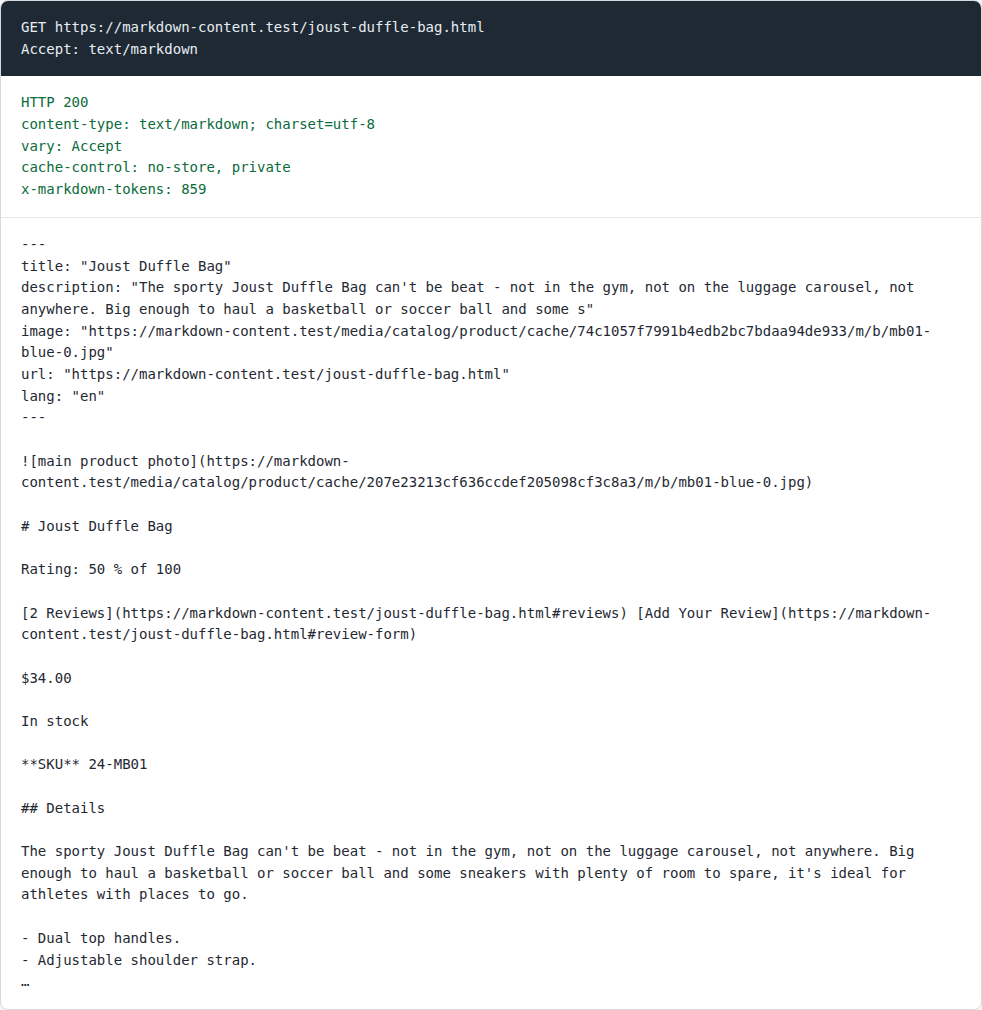
An agent asks, and gets Markdown. A client sends Accept: text/markdown for a product address → the store answers with Content-Type: text/markdown; charset=utf-8 and the page as a document that opens with its title, description, image, address and language.
The client's preference decides. Accept: text/markdown, text/html, */* → Content-Type: text/markdown; charset=utf-8, while Accept: text/html, text/markdown;q=0.5 → Content-Type: text/html; charset=UTF-8. A browser, which never names Markdown, always gets HTML.
You decide what is left out. You enter .product-info-stock-sku under Additional Elements to Remove → the stock and SKU block of a Luma product page is no longer in the Markdown, from the next request on.
The agent knows the size before it reads. Every Markdown response carries an estimate of its size in tokens: a document of 3,424 bytes is sent with x-markdown-tokens: 856.
Features
| Feature | Benefit |
|---|---|
| Serve pages as Markdown | Switch it on per store view with one setting, and off again at once. It stays off until you enable it. |
| What an AI agent receives | Agents get the page content with a metadata header and a token estimate, without your theme's scripts, forms and menus. |
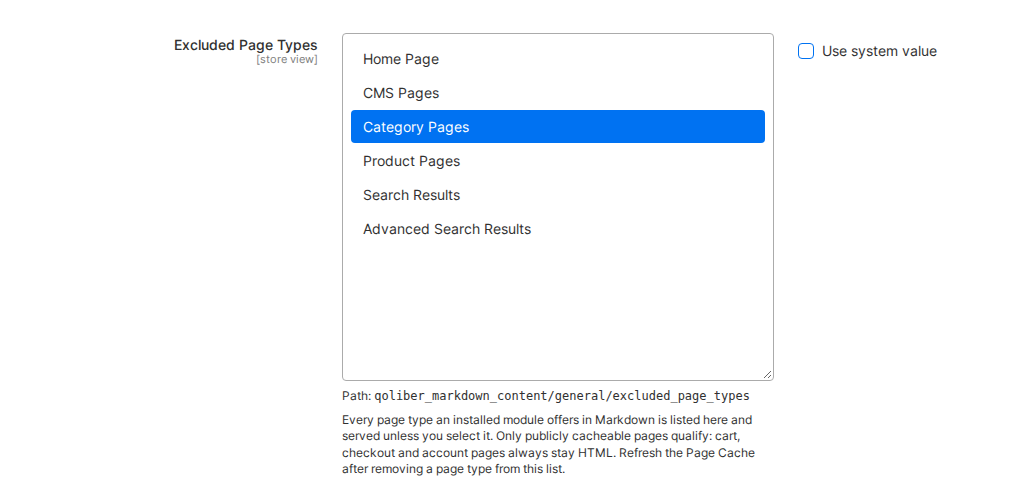
| Choose which pages are served | Keep any page type in HTML, per store view, with immediate effect. |
| Shape the Markdown | Convert the main content or the whole page, leave images out, remove elements by selector, and add the page's structured data. |
| Keep Markdown current | The Markdown of a page is dropped whenever Magento drops the page, so a saved product, category or CMS page shows without a flush. |
| Built-in page cache and Varnish | Your page cache keeps one HTML copy of each page whichever client asks first, and the Markdown is made from that copy. |
| Store views, currencies, customer groups and tax display | Agents see the names, prices and price labels the store view shows its shoppers. |
| Pages of your own modules | Any module offers its pages in Markdown with one XML file; merchants can exclude them like the built-in page types. |
| Extension points | Developers add removal rules, heading rules and their own conversion steps, or replace the conversion library and the token estimator. |
Competing solutions
The right-hand column describes common market practice, not any particular vendor.
| Qoliber | Typical marketplace extension | |
|---|---|---|
| GitLab access | Full access to the module's GitLab repository — source, history, issues and merge requests | Varies by vendor |
| Packagist installation | Installed and updated with Composer from our private Packagist (qoliber.repo.packagist.com) | Varies by vendor |
| Slack access to the development team | A shared Slack channel with the developers who build and maintain the module | Usually ticket-based |
| Unit tests | 122 PHPUnit unit tests (22 classes) in the repository | Not typically published |
| Integration tests | 90 Magento integration tests (14 classes), run before every release | Not typically published |
| E2E Playwright tests | 60 Playwright end-to-end tests (13 spec files) that ask the store as an agent and as a browser, with the built-in page cache and behind Varnish, run before every release | Not typically published |
| Documentation | Full docs portal: install, configuration, usage, troubleshooting and developer guide | Varies by vendor |
| PHP / Magento range | PHP 8.1 to 8.5; Magento Open Source 2.4.6 or later and Mage-OS, on magento/framework ^103.0 | Varies by vendor |
What sets it apart
- Runs inside your store. Pages are converted by your own Magento, with an open-source PHP library. No page, price or customer detail is sent to an outside service.
Good to know
- Only pages Magento shares between all visitors are converted. The cart, the checkout, customer account pages and Magento's contact form always stay HTML.
- It converts what your server sends. Content a theme renders with JavaScript after the page has loaded, such as the options of a configurable product on Luma, is not in the Markdown.
- Behind Varnish or a CDN you add one rule. Without it the cache answers before Magento is asked, and agents mostly receive HTML.
- The token count is an estimate. It is the document's size in bytes divided by four, not the count of any particular model.
Supported versions
PHP 8.1, 8.2, 8.3, 8.4 and 8.5. Magento Open Source 2.4.6 or later and Mage-OS, on magento/framework ^103.0. Tested on Magento 2.4.6, 2.4.7, 2.4.8 and 2.4.9 and on Mage-OS 4.0, with the built-in page cache and behind Varnish 7.5.
Next steps
- Install the extension
- Configure it for your store views
- Agencies and resellers: see the partnership program