Catalog Pro
Shoppers narrow your catalog to the products they want in a few taps, with filters that always show an honest count and never lead to an empty page by surprise, while search engines find readable filter, brand and landing pages you decide to let them index. You set every filter of the store from one screen, preview a change before it goes live and roll it back when it did not work.
Latest version: 1.0.0 — changelog
Who it's for
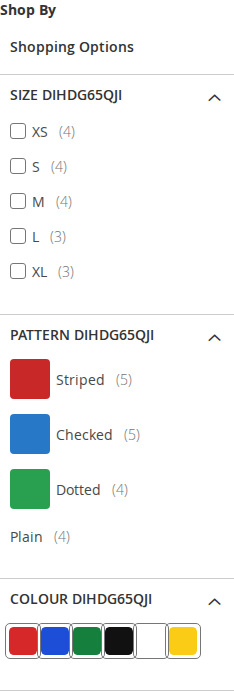
- Stores with large, attribute-rich catalogs. Filters that cannot help on a listing hide themselves (a minimum coverage, single-option filters), long filters get a search box and "Show more", and attributes with thousands of options are edited page by page.
- Fashion and other stores built on configurable products. "Red + M" lists a configurable product only when one of its children is red and size M, and is salable where your store hides out-of-stock products.
- Stores on Hyvä or Luma, and headless storefronts. The Hyvä renderer works under Hyvä's strict content security policy with the same filters, counts and URLs as Luma; GraphQL answers a headless storefront with the same filters.
- Merchants moving from Amasty Improved Layered Navigation. An importer reads the Amasty settings, shows a dry-run report and can be rolled back.
Why it matters
- More shoppers reach a product. Multi-select filters count exactly, applied-filter chips undo one choice at a time, and a combination that matches nothing offers one-tap ways back with their product counts.
- Filter pages that rank, without crawl waste. Filter URLs become readable paths, and crawl rules decide which filter combinations search engines may index, so thin combinations stay out of the index.
- Brand and landing pages that sell. Each brand gets its own page with merchandising, widgets and a menu, and landing pages turn a set of filters into a page with its own content.
- Changes you can trust. Changes can be drafted, previewed on the storefront and published, every published version can be rolled back, and settings move between environments as a reviewed diff.
- Fewer support tickets about broken listings. Diagnostics name the active providers and the index state, a data quality report lists the product data that breaks filters (a variant without its colour, "Navy Blue" next to "Navy-Blue") with a link to the screen that repairs it, and scheduled checks repair search documents that drifted.
See it in action
-
You switch on readable URLs → shoppers and search engines get a real path. With SEO Pretty Filters on for the store view, "navy" and a price range become
/women/tops/navy--price-10-50.htmlinstead of query parameters.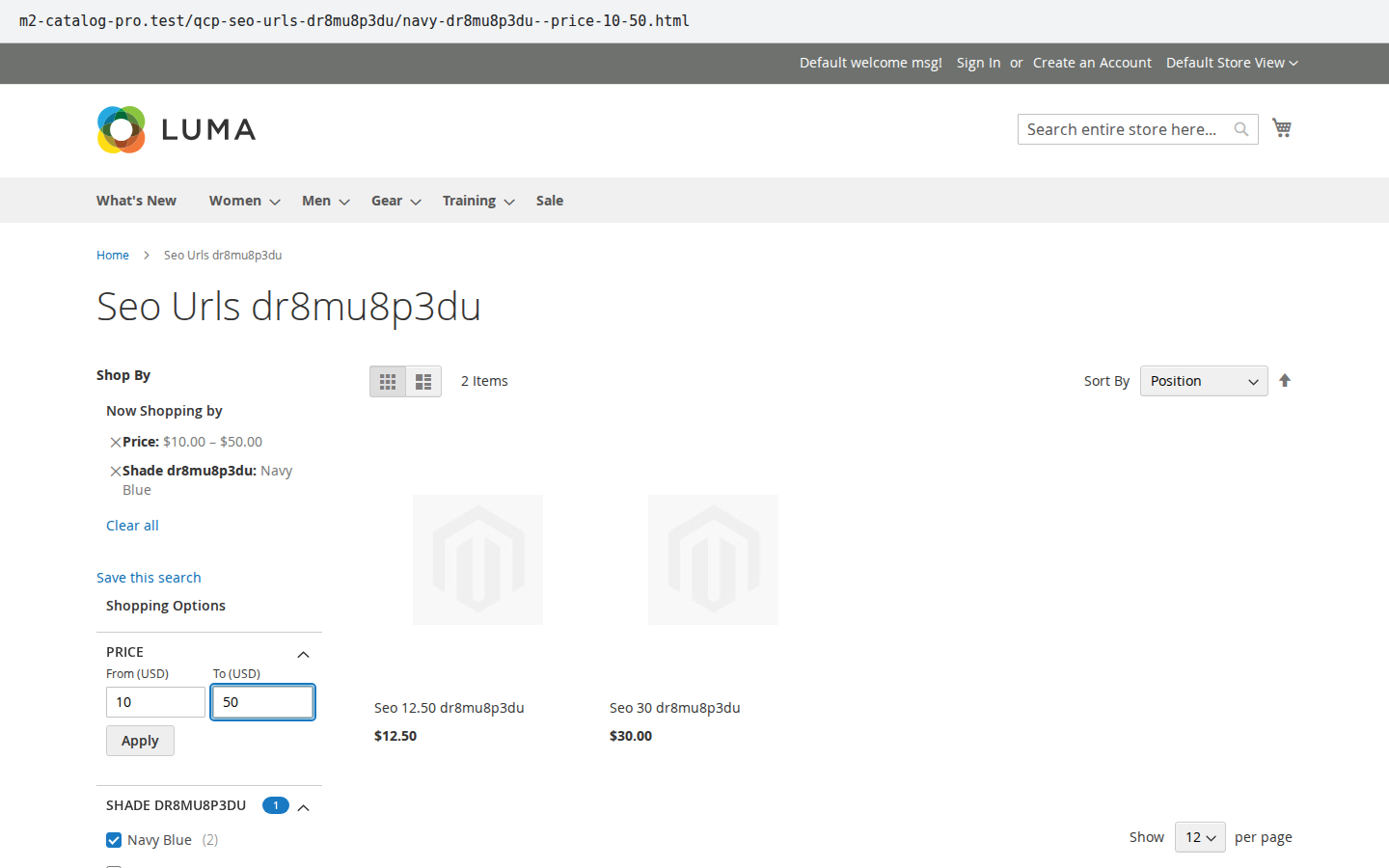
-
A shopper picks a filter → the listing updates in place. AJAX filtering updates the products, counts and URL without a page load, and Back and Forward replay each step.
-
You set discount ranges
10,20,30,50→ shoppers get "30% off or more". Each whole percent becomes one option of the discount filter, offered one at a time. -
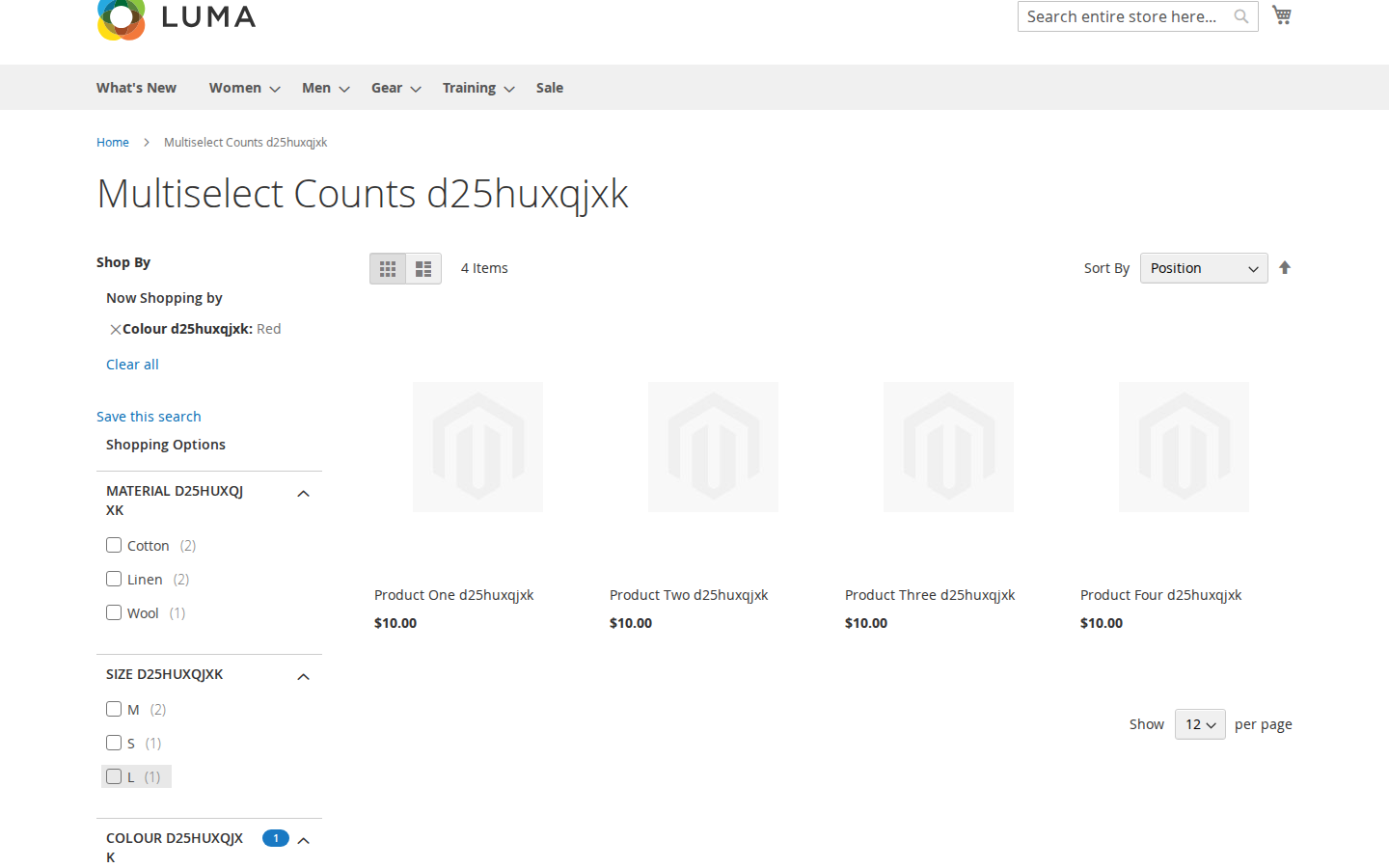
A headless storefront asks GraphQL for
qcp_state: "colour=<Red>"→ the other colours keep their counts. With Red selected, the Blue option still counts its 3 products, exactly as without Red — the same counting the storefront's multi-select filters show. -
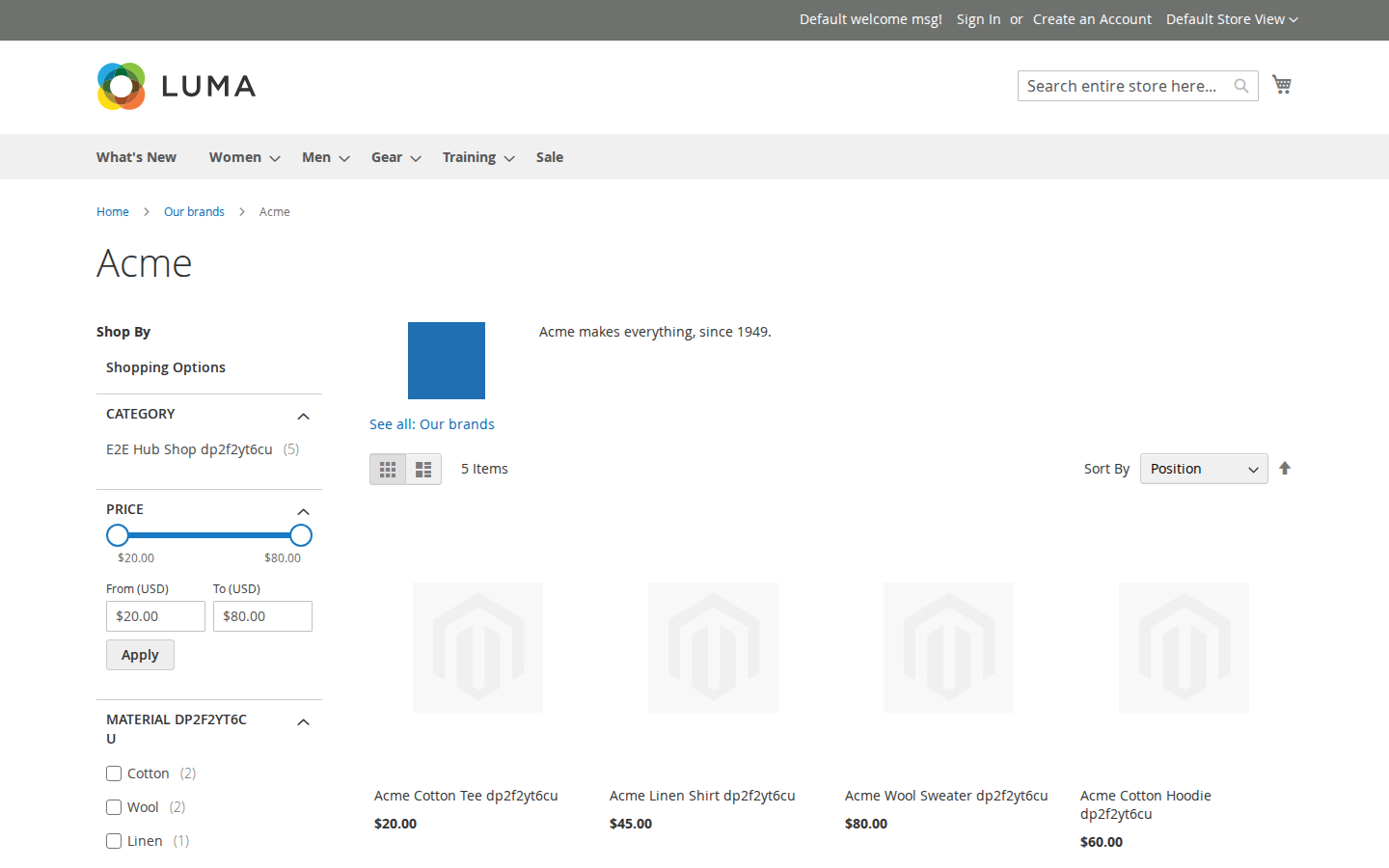
You open a brand → it has a page of its own. A brand hub lists the brand's products with its own content and merchandising.
-
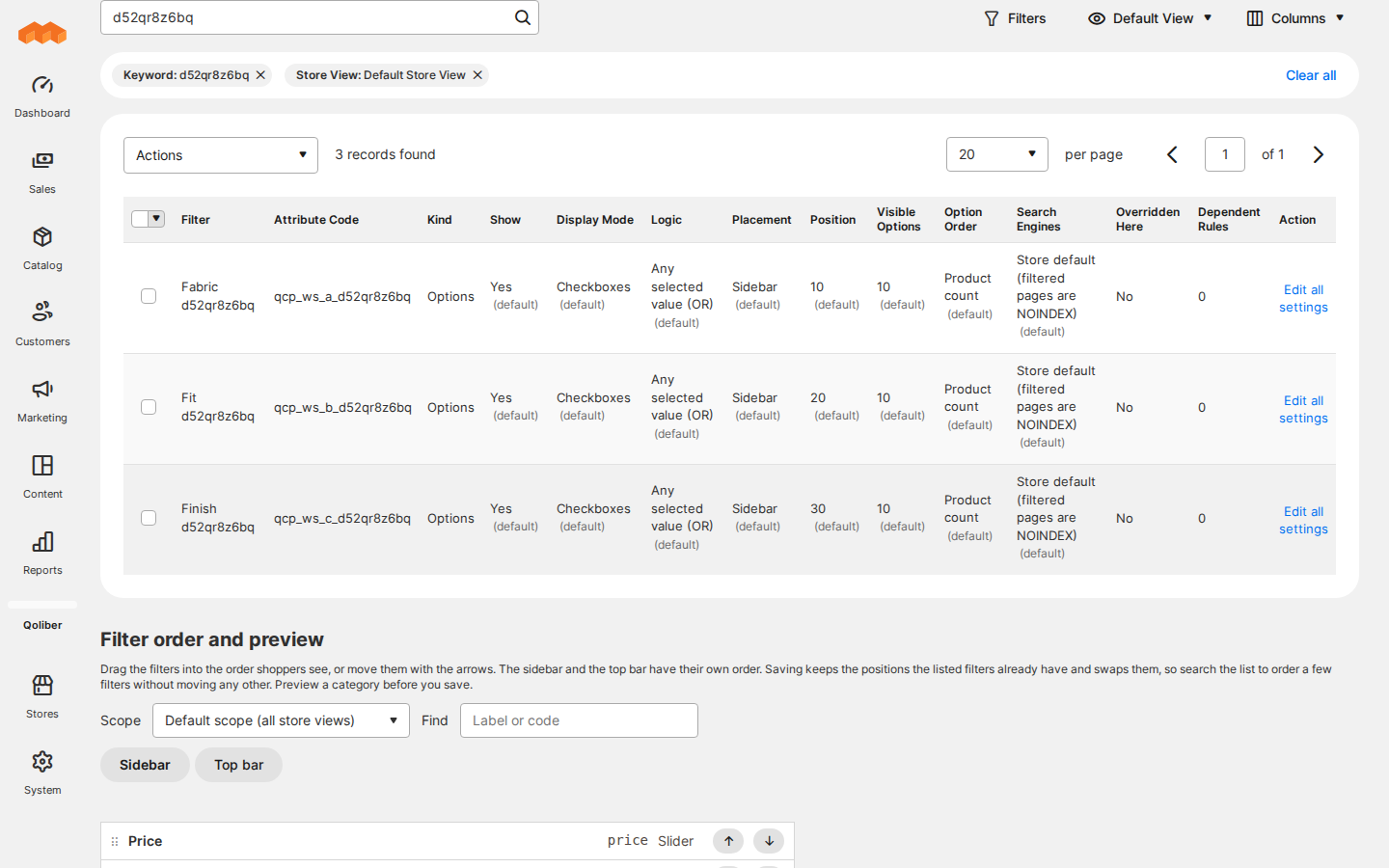
You manage filters in one place. The filter workspace lists every filter of the store with its settings, and edits several at once.
What you can do
| Feature | Benefit |
|---|---|
| Filters and the filter workspace | Set display mode, placement and behavior for every filter from one grid, per store view |
| AJAX navigation and infinite scroll | Shoppers filter without page loads and keep scrolling instead of paging |
| Price, discount and availability filters | Shoppers set a budget and find what is new, on sale or in stock |
| Category filter and subcategory tiles | Shoppers move through your category tree from any listing |
| Catalog data quality | See which products filters cannot place, before shoppers miss them |
| Diagnostics and recovery | Check the health of filters and indexes and repair them without a developer |
| Import, export and moving from Amasty | Move settings between environments, or from Amasty, as a reviewed change |
| Drafts and versions | Preview a change on the storefront before it is live and roll back a version |
| SEO URLs, meta templates and crawl rules | Index the filter pages that rank, with titles written for them, and keep the rest out |
| Brand pages and landing pages | Give brands and filter combinations pages of their own that sell and rank |
| Filter analytics and quick filters | Learn which filters shoppers use and turn them into one-tap shortcuts |
| Guided discovery | Product finders and buying advice guide unsure shoppers to a short list |
| Pick up, delivery dates and saved-search alerts | Shoppers filter by where and when they can get a product and hear when new matches arrive |
| Merchandising lab | Schedule campaigns and test filter changes before you commit to them |
| Product labels on tiles and as a filter | Offer the labels shoppers see on tiles, such as "Eco", as a filter |
| Rating filter and sort by rating | Shoppers filter by stars and sort the best-rated products first |
| AI drafts, GPSR, IndexNow and Omnibus on hub pages and tiles | Reuse your qoliber modules on brand pages, landing pages and product tiles |
| Headless storefronts (GraphQL) | Serve the same filters, counts and URLs to a headless storefront |
| REST management API | Manage filters from a PIM or a script with the same checks as the admin |
Competing solutions
The right-hand column describes common market practice, not any particular vendor.
| Qoliber | Typical marketplace extension | |
|---|---|---|
| GitLab access | Full access to the module's GitLab repository — source, history, issues and merge requests | Varies by vendor |
| Packagist installation | Installed and updated with Composer from our private Packagist (qoliber.repo.packagist.com) | Varies by vendor |
| Slack access to the development team | A shared Slack channel with the developers who build and maintain the module | Usually ticket-based |
| Unit tests | 4,794 PHPUnit unit tests (909 classes) in the repository | Not typically published |
| Integration tests | 2,543 Magento integration tests (593 classes), run before every release | Not typically published |
| E2E Playwright tests | 194 Playwright end-to-end tests (133 spec files) on Luma and Hyvä, run before every release | Not typically published |
| Documentation | Full docs portal: install, configuration, usage, module pages, troubleshooting, developer guide and API reference | Varies by vendor |
| Hyvä support | A Hyvä renderer built for Hyvä's strict content security policy | Varies by vendor |
| PHP / Magento range | PHP 8.3 to 8.5; Magento Open Source 2.4.8 and 2.4.9, Mage-OS 3.5 | Varies by vendor |
- Hyvä-native. A dedicated Hyvä module renders the filters under Hyvä's strict content security policy, with the same counts and URLs as Luma.
- API-first. A REST management API for filter settings and GraphQL for headless storefronts.
- Runs inside your store. Filters, counts, SEO URLs and filter analytics run on your own Magento and its search engine, with no third-party service. Only optional bridges call out: AI drafts go to the AI provider you configure in SEO Advisor AI, and IndexNow notifies the search engines of the pages you publish.
Good to know
- One search engine family. Catalog Pro 1.0 works with Magento's native OpenSearch and Elasticsearch 8. ElasticSuite is not part of 1.0; it follows on a separate track.
- Built-in full-page cache. Release 1.0 is tested with Magento's built-in full-page cache. Varnish and Fastly use the same cache tags but are not tested, so there is no support claim for them.
- Not every bridge installs yet. The GPSR bridge is not published with 1.0.0 and follows with the next GPSR Suite version; the SEO AI bridge cannot be installed until SEO Advisor AI's dependencies allow it.
- Older Mage-OS. Composer installs Catalog Pro on Mage-OS releases before 3.5, but they are not tested.
Supports Magento Open Source 2.4.8 and 2.4.9 and Mage-OS 3.5 on PHP 8.3 to 8.5 (~8.3.0 || ~8.4.0 || ~8.5.0).
Get started: Install · Configure · Partnership and licensing