Login Only Catalog
Keep your products and prices for the buyers you sell to. Guests sign in before they see a single product, and you decide range by range which trade customers may browse and buy. They can ask from the page they could not open, or you can invite them or give access yourself.
Latest version: 1.0.0 — changelog
Who it's for
-
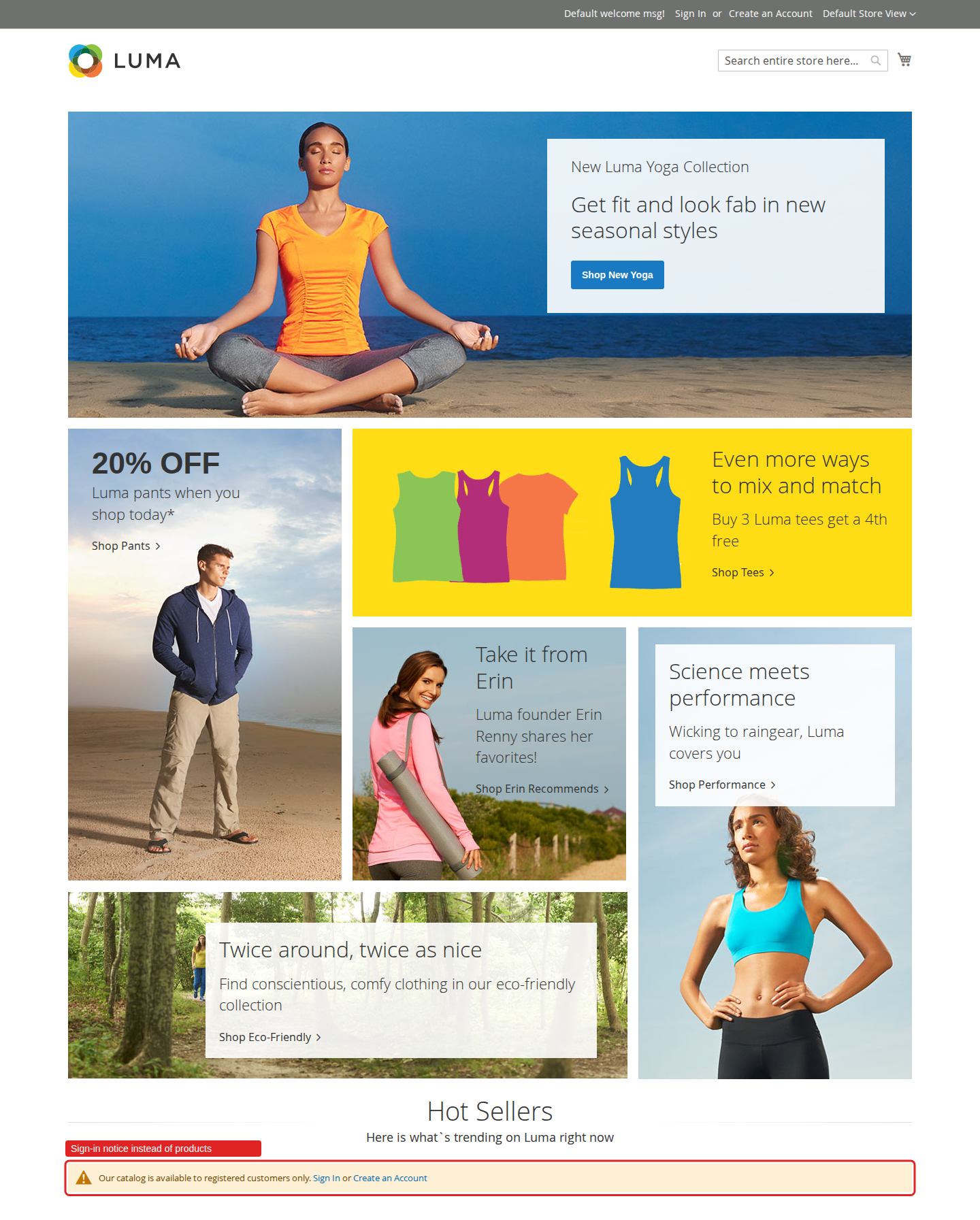
Wholesale and B2B stores that sell to registered buyers only. One switch per website closes category, product, search, review, cart and checkout pages to guests, and strict private mode hides every category name from the menu.
-
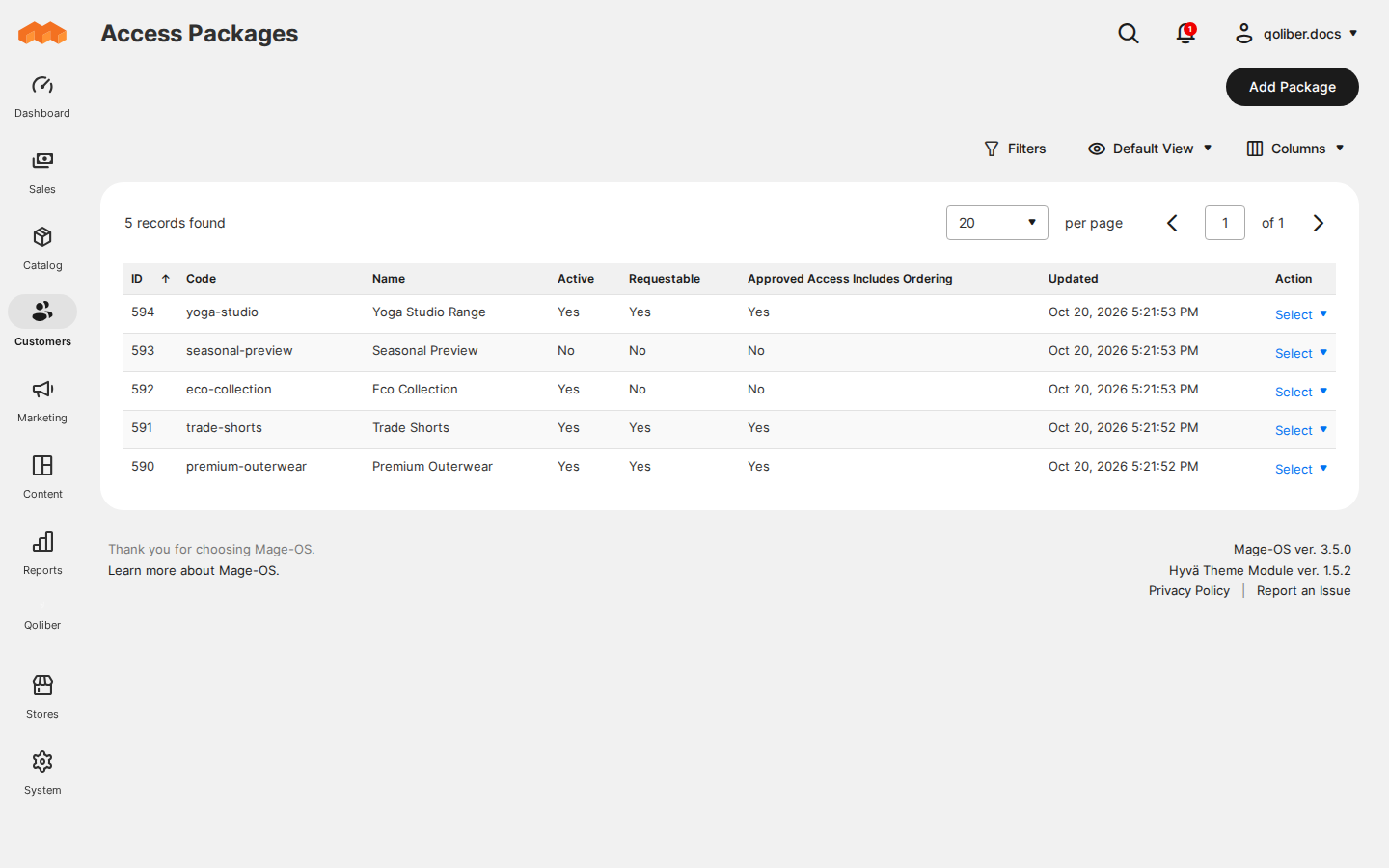
Merchants with ranges for selected customers. An access package names categories, with everything below them, that only customers holding a grant can see and, when the grant includes it, order.
-
Brands that run previews or trade-show offers. A single-use invitation gives one email address time-limited access to a range, browse-only unless you include ordering.
-
Luma and Hyvä storefronts. The
qoliber/login-only-catalog-hyvapackage renders every buyer screen in Tailwind, tested on Hyvä 1.2 to 1.5.
Why it matters
-
Your prices stay private. Guests cannot browse, search, price or buy, and the same rules close the REST and GraphQL catalog APIs, guest carts, RSS feeds and the XML sitemap.
-
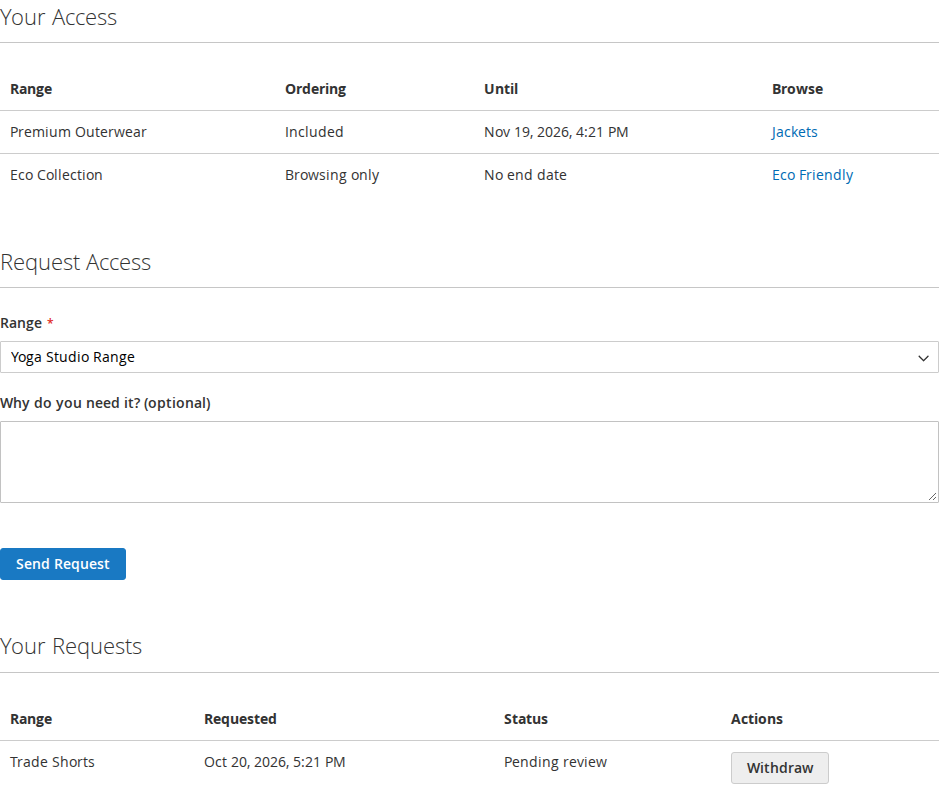
Requests instead of emails. A buyer who opens a range they cannot see asks for it on the spot. You approve it in a queue, and they continue where they left off, filters and sorting included.
-
Access that looks after itself. Approved access can end after a set number of days and invitations after a set number of hours. Revoking takes effect on the buyer's next page, without cron or a cache flush. Buyers see what they have, and until when, in their account.
-
No leaks through caches. Pages for signed-in customers are never stored in the page cache, Varnish or a CDN, so a copied cookie cannot replay someone else's catalog.
See it in action
-
Guests come back to the page they wanted. You switch on Enable Login-Only Catalog → a guest who opens
/women/tops-women.html?product_list_order=nameis asked to sign in and lands back on/women/tops-women.html?product_list_order=name.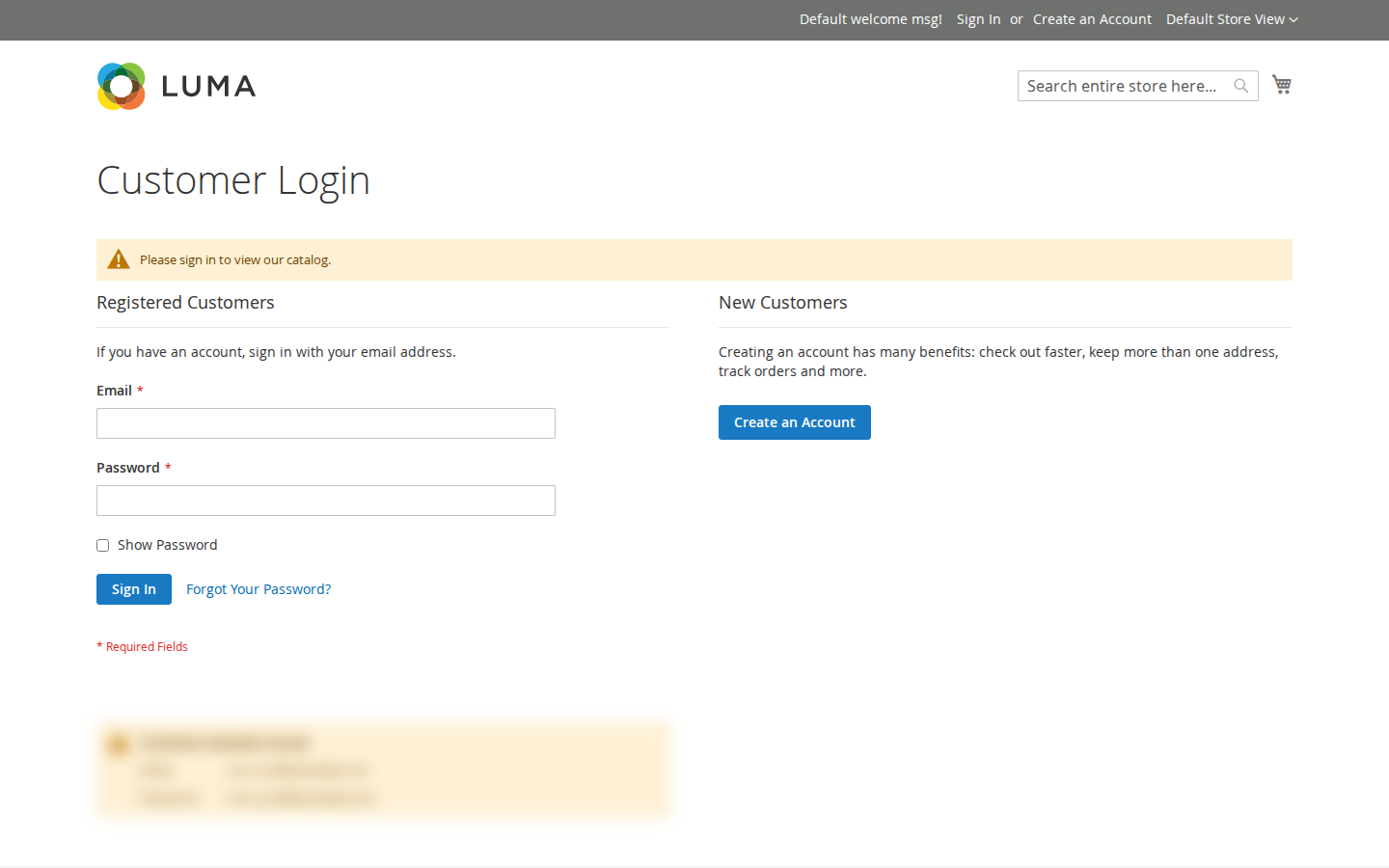
-
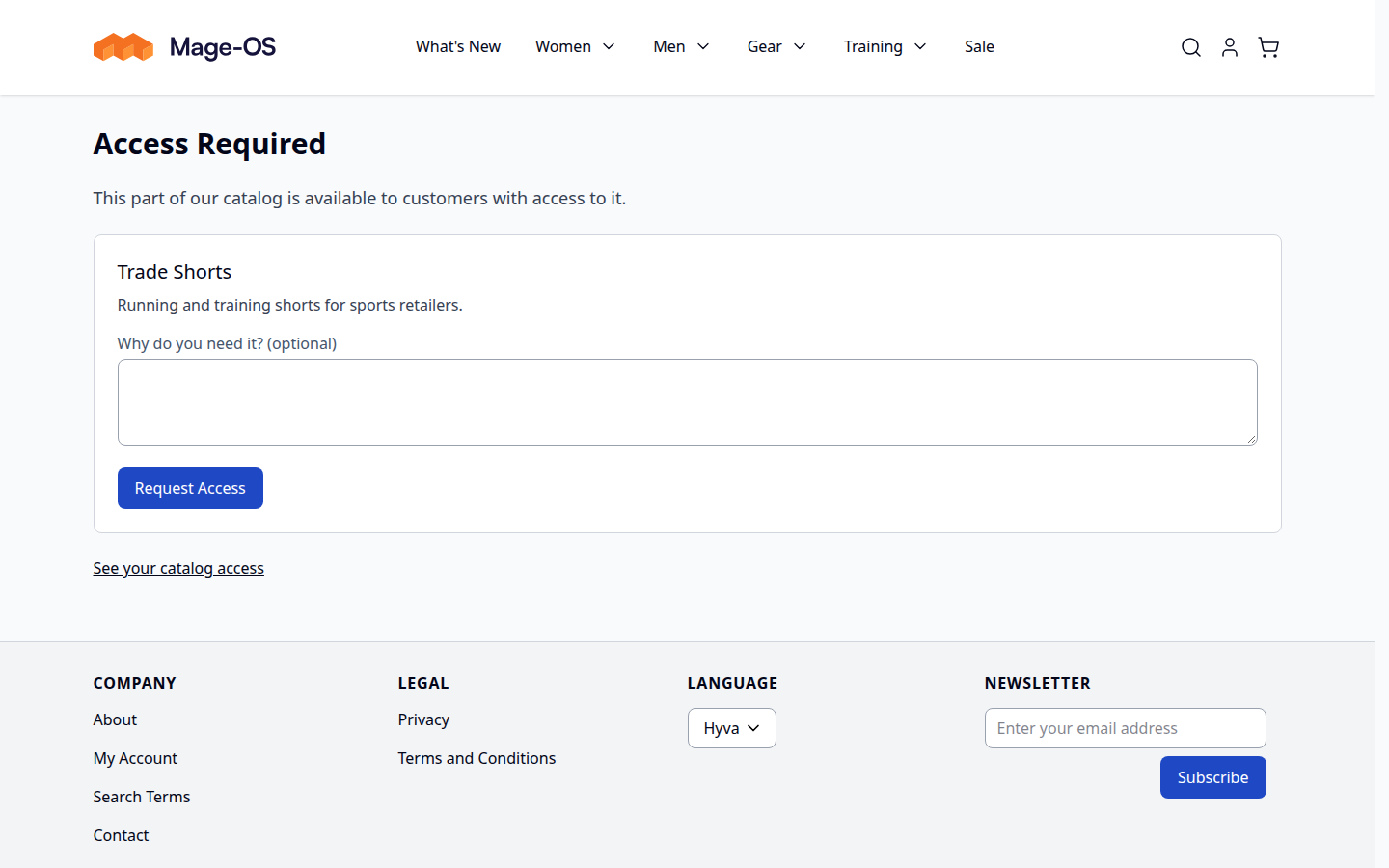
Buyers ask for a range themselves. You create a package Trade Shorts for Men and Women Shorts and let buyers request it → a signed-in buyer without access who opens Men Shorts gets Access Required with a request form. Once you approve, the range opens on their next page.
-
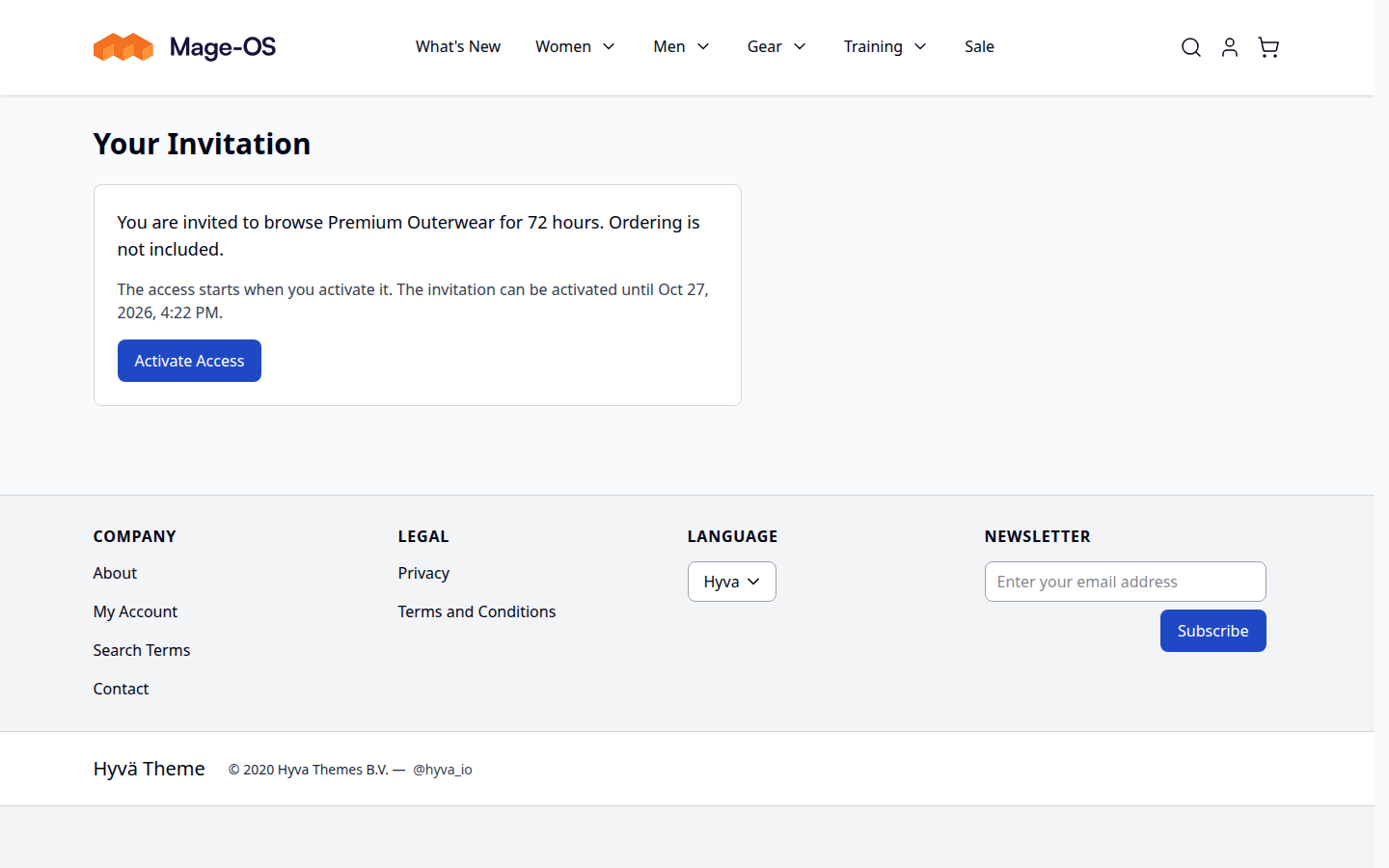
A 72-hour preview for one buyer. You invite an email address to Premium Outerwear for 72 hours without ordering → the recipient signs in, presses Activate Access and browses the range with its prices for 72 hours, but cannot add its products to the cart.
What it does
| Feature | Benefit |
|---|---|
| Login-only catalog | Close the whole catalog to guests per website, with a sign-in notice where products were and no category names in the menu |
| Access packages | Gate a range of categories behind access, without touching customer groups, prices or tax |
| Access requests | Let buyers ask for a range from the page they could not open, and approve or decline in one queue |
| Access grants | Open a range to one customer by email, with or without ordering and for as many days as you choose, and revoke it at once |
| Invitations | Send a single-use link that gives one email address time-limited access to a range |
| Catalog Access in My Account | Buyers see what they can browse and until when, request more and follow their requests themselves |
| Access emails | You hear about new requests, buyers hear about your decisions, and invitations arrive with their link |
| Protected APIs and feeds | REST, GraphQL, guest carts, RSS and the sitemap follow the same rules as the storefront |
| Cache-replay protection | Customer pages stay out of shared caches; cached menus and widgets are kept apart by access |
Competing solutions
The right-hand column describes common practice across the Magento extension market, not any particular vendor.
| Qoliber | Typical marketplace extension | |
|---|---|---|
| GitLab access | Full access to the module's GitLab repository — source, history, issues and merge requests | Varies by vendor |
| Packagist installation | Installed and updated with Composer from our private Packagist (qoliber.repo.packagist.com) | Varies by vendor |
| Slack access to the development team | A shared Slack channel with the developers who build and maintain the module | Usually ticket-based |
| Unit tests | 66 PHPUnit unit tests (19 classes) in the repository | Not typically published |
| Integration tests | 36 Magento integration tests (10 classes), run before every release | Not typically published |
| E2E Playwright tests | 42 Playwright end-to-end tests (13 spec files) on Luma and Hyvä, run before every release | Not typically published |
| Documentation | Full docs portal: install, configuration, usage, troubleshooting and developer guide | Varies by vendor |
| Hyvä support | qoliber/login-only-catalog-hyva: Tailwind templates for every buyer screen, tested on Hyvä 1.2 to 1.5 with Tailwind CSS 3 and 4 | Varies by vendor |
| PHP / Magento range | PHP 8.1 – 8.5, Magento Open Source 2.4.7 or later and Mage-OS 3.x (magento/framework ^103.0.7) | Varies by vendor |
Built for Magento, not bolted onto it
- Hyvä-native.
qoliber/login-only-catalog-hyvareplaces the sign-in notice, the Access Required page, the invitation page and My Account → Catalog Access with Tailwind templates on Hyvä store views. Luma store views on the same installation keep theirs. - Nothing leaves your store. Access is decided on every request from the grants in your own database, and the emails go out through Magento's mail. No third-party service is involved.
Good to know
- Product images under
pub/mediaare served by the web server without Magento, so an image URL a guest already knows still loads. - Links typed into CMS content, such as the sample-data promo blocks, are not filtered. They still name gated categories, but never open them without access.
- Every search sends the hidden product IDs to OpenSearch. That adds about 1 ms per search with 2,000 hidden products and 34 ms with 100,000.
- Adobe Commerce, with its own catalog permissions and B2B shared catalogs, has not been tested.
Supported on PHP 8.1–8.5 with Magento Open Source 2.4.7 or later, or Mage-OS 3.x (magento/framework ^103.0.7).
Hyvä storefronts need Hyvä 1.2 or later with qoliber/login-only-catalog-hyva.
Ready to start? Install the extension, then configure it. For licensing and commercial questions, see partnership.