2 min readAug 10, 2026by jakub
Product Attachments
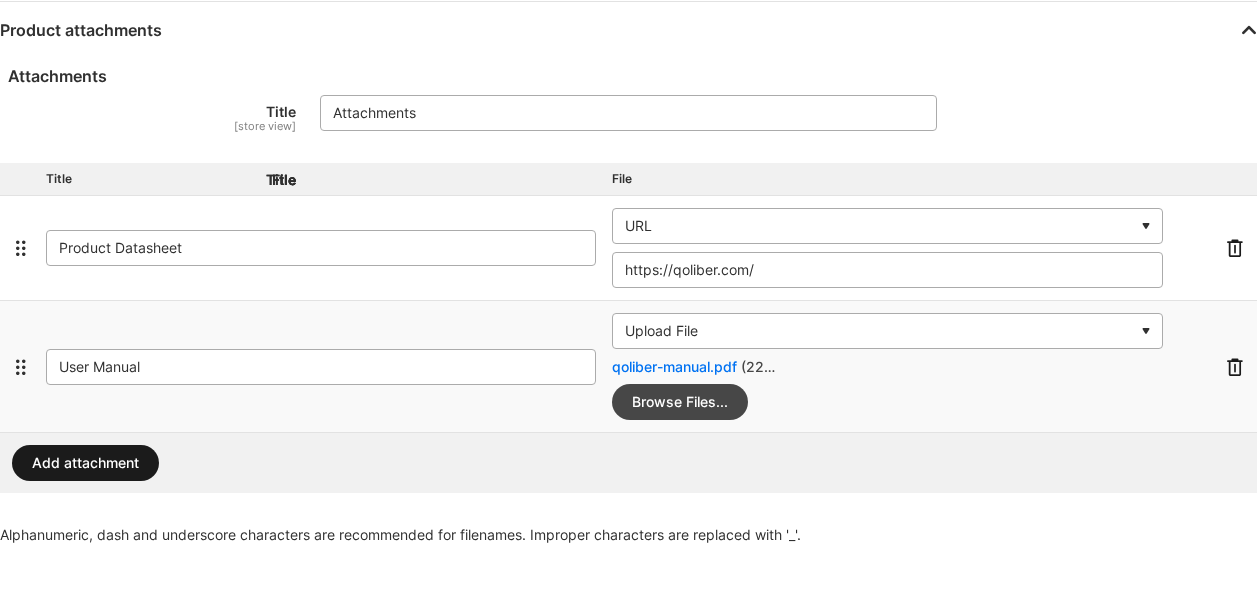
Attach datasheets, manuals, certificates, or any external link to your catalog products, and your store shows them right on the product page — shoppers get answers before they ask, and buyers keep every document one click away in their account after purchase.
Latest version: 1.1.0 — changelog

Why it matters
- Cut pre-sales support load: spec sheets, sizing charts, and manuals answer product questions on the page instead of in your inbox.
- Build buying confidence: documentation visible before checkout removes a reason to hesitate.
- Keep customers self-served after the sale: the "My Attachments" account page lists documents for everything they purchased — no more "please resend the manual" tickets.
- Sell in more than one language: every attachment title can be overridden per store view.
- Share safely: download links carry encrypted ids, and files stop being served the moment a product is disabled or removed from the website.
What you get
| Feature | Benefit |
|---|---|
| Product-form attachments panel | Upload files or link external URLs per product without leaving the product edit form |
| Product-page attachments tab | Documents render as a tab (Luma) or section (Hyvä) with file-type icons and sizes |
| "My Attachments" account page | Customers see every attachment of the products they purchased, in one place |
| Per-store titles | The same file carries a localized label on each store view |
| Store configuration | Master switch, default tab title, new-window behavior, content disposition, and tab position |
| Secure download links | Encrypted attachment ids; downloads are refused for disabled or off-website products |
- Hyvä-native — a dedicated
qoliber/product-attachments-hyvapackage ships Tailwind templates for the product page and the account list. - No SaaS, no callbacks — files live in your Magento media directory and are streamed by your store; no third-party service is involved.
- Translated out of the box — interface strings ship in more than one language.
Also available in: Polish.
Supported on PHP 8.1–8.5 with Magento Open Source, Adobe Commerce, or Mage-OS
on the 2.4 line (magento/framework ^103.0).
Ready to start? Install the extension, then configure it. For licensing and commercial questions, see partnership.