4 min readOct 16, 2026by jakub
3D Box Packing
Your carrier bills you for the box, not for the products. 3D Box Packing works out which of your boxes the order actually fits into — rotating and stacking each item the way a person would — and quotes the shipping from that, so the price your customer pays is the price you are charged.
Latest version: 1.0.1 — changelog
Who it's for
- Stores whose carriers bill volumetric weight. The divisor your carrier quotes — 5000 or 6000 cm³ per kg for the usual couriers — is a setting, and every package is billed on the greater of its real and volumetric weight, the way the invoice will be.
- Stores that ship both parcels and pallets. Packaging runs from envelope to trailer, pallets and containers count as freight, and courier methods can be hidden the moment an order packs onto a pallet.
- Merchants with a real tariff. Rules price by country, region, postcode pattern, billable weight, order value, quantity, customer group and the kind of packaging the order needed.
- B2B stores. Customer-group rules give signed-in trade customers their own prices at checkout.
Why it matters
- Stop absorbing volumetric weight. Carriers charge on whichever is greater, real weight or the volume the box occupies. Quoting from a flat table means you eat the difference on every bulky order; quoting from the packing means you don't.
- Stop over-quoting small orders. Two items that fit one parcel are quoted as one parcel, not as two shipments or a worst-case rate — the quote stops being a reason to abandon a cart.
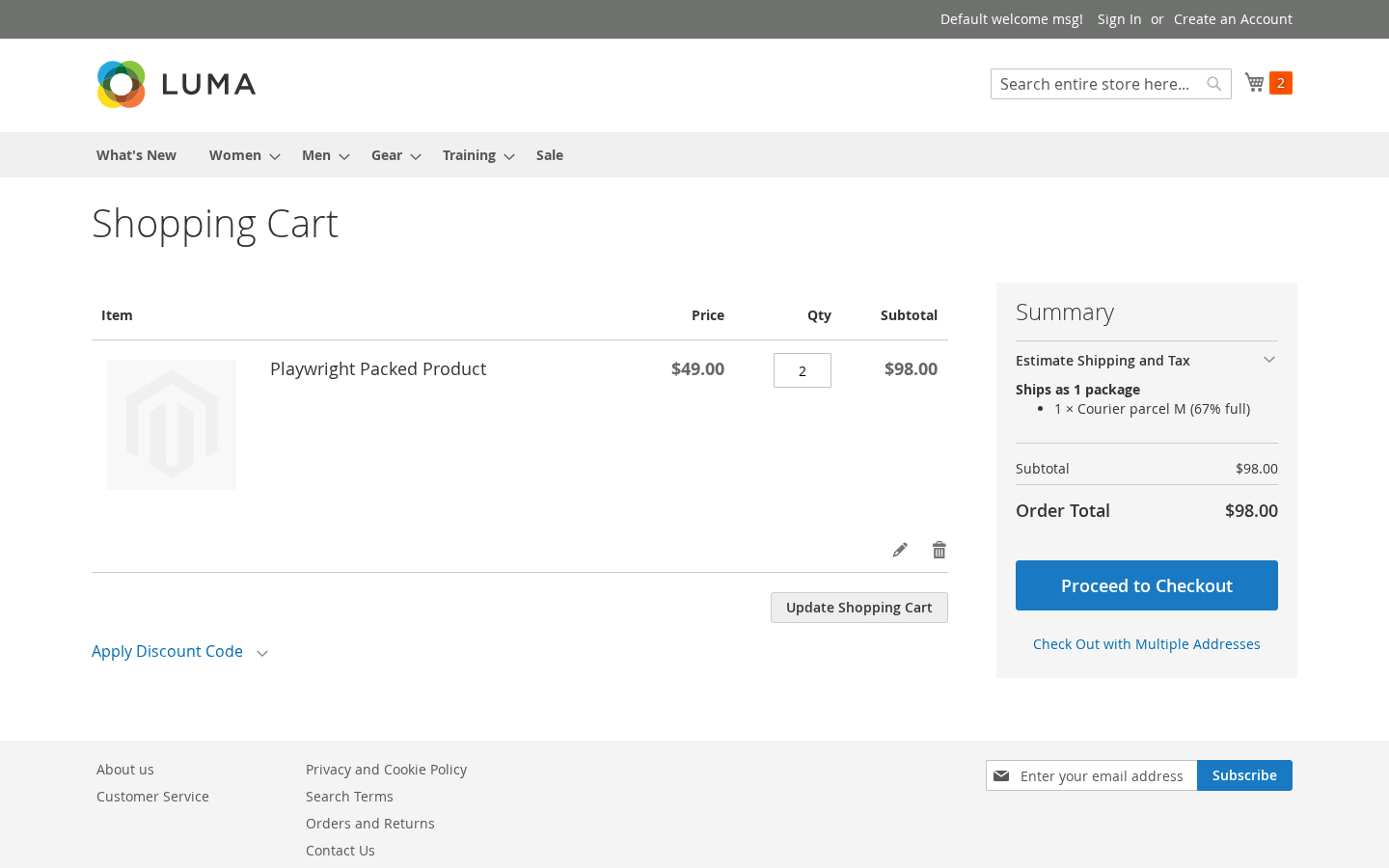
- Tell the customer what is coming. The cart says how the order will pack, in how many packages, before they reach checkout.
- Give the warehouse a loading order. Every order records the packages it was quoted as, with each item's position inside the box, so packing is a lookup rather than a judgement call.
- Refuse what cannot be shipped. An order that packs onto a pallet stops being offered a courier parcel the courier would refuse at the depot.
See it in action
- You measure a duffle bag at
40 × 30 × 20cm and1.2kg, and a customer puts two in the cart → the cart saysPacks into 1 packageand1 × Courier parcel L (50% full), and the order's Packing Plan tab lists both bags with their position in the box. - You write one rule — country
PL, price mode Price per package, base price9.90, Stop after this rule on → that parcel to Gdańsk is quoted9.90; an order that needs two parcels,19.80. Under a Base price plus price per kilogram rule of15.00+2.50, the same parcel is billed on21chargeable kilograms, because its outer volume (610 × 410 × 410mm at a divisor of5000) outweighs its2.9kg on the scales. - You type
flatrate_flatrateinto Courier Methods To Hide, and a customer adds a crate that only fits a pallet → Flat Rate disappears from the shipping estimate and the pallet tariff is the one offered.
What it does
| Feature | Benefit |
|---|---|
| Packaging types: describe your boxes | Describe your real boxes once — inner and outer size, empty weight, payload, store views — and every quote packs into them |
| Packing profiles: handling rules you set once | Mark goods fragile, this side up, load-bearing or not-for-courier in one place and apply it to as many products as you like |
| Measure your products | Three numbers and an optional profile per product — Magento Open Source ships no dimension attributes of its own |
| Shipping rules: price the packed order | Price by destination, postcode pattern, billable weight, subtotal, quantity, customer group or packaging type, in four price modes |
| Turn the carrier on | One switch and one unit setting; everything else has a sensible default |
| What the customer sees | The cart and checkout tell the customer how their order packs, and never show a price the packing cannot back |
| The packing plan on the order | The packages, their fill, and each item's position, recorded against the order for the warehouse |
| Volumetric weight | Calculated per package and summed, the way carriers actually bill |
| Method visibility | Courier methods hidden when the packing produced freight or an item couriers may not carry |
Competing solutions
The right-hand column describes common practice on extension marketplaces, not any particular vendor.
| Qoliber | Typical marketplace extension | |
|---|---|---|
| GitLab access | Full access to the module's GitLab repository — source, history, issues and merge requests | Varies by vendor |
| Packagist installation | Installed and updated with Composer from our private Packagist (qoliber.repo.packagist.com) | Varies by vendor |
| Slack access to the development team | A shared Slack channel with the developers who build and maintain the module | Usually ticket-based |
| Unit tests | 203 PHPUnit unit tests (34 classes) in the repository | Not typically published |
| Integration tests | 43 Magento integration tests (14 classes), run before every release | Not typically published |
| E2E Playwright tests | 43 Playwright end-to-end tests (8 spec files) across the Luma journeys and the Hyvä demo store, run before every release | Not typically published |
| Documentation | Full docs portal: install, configuration, usage, troubleshooting, developer guide | Varies by vendor |
| PHP / Magento range | PHP 8.2 to 8.5, Magento Open Source and Mage-OS 2.4.6 and newer | Varies by vendor |
What makes it different
- Nothing leaves your store. The packing runs inside Magento, in the same request that quotes the rate. There is no third-party service, no API key, and no per-quote cost.
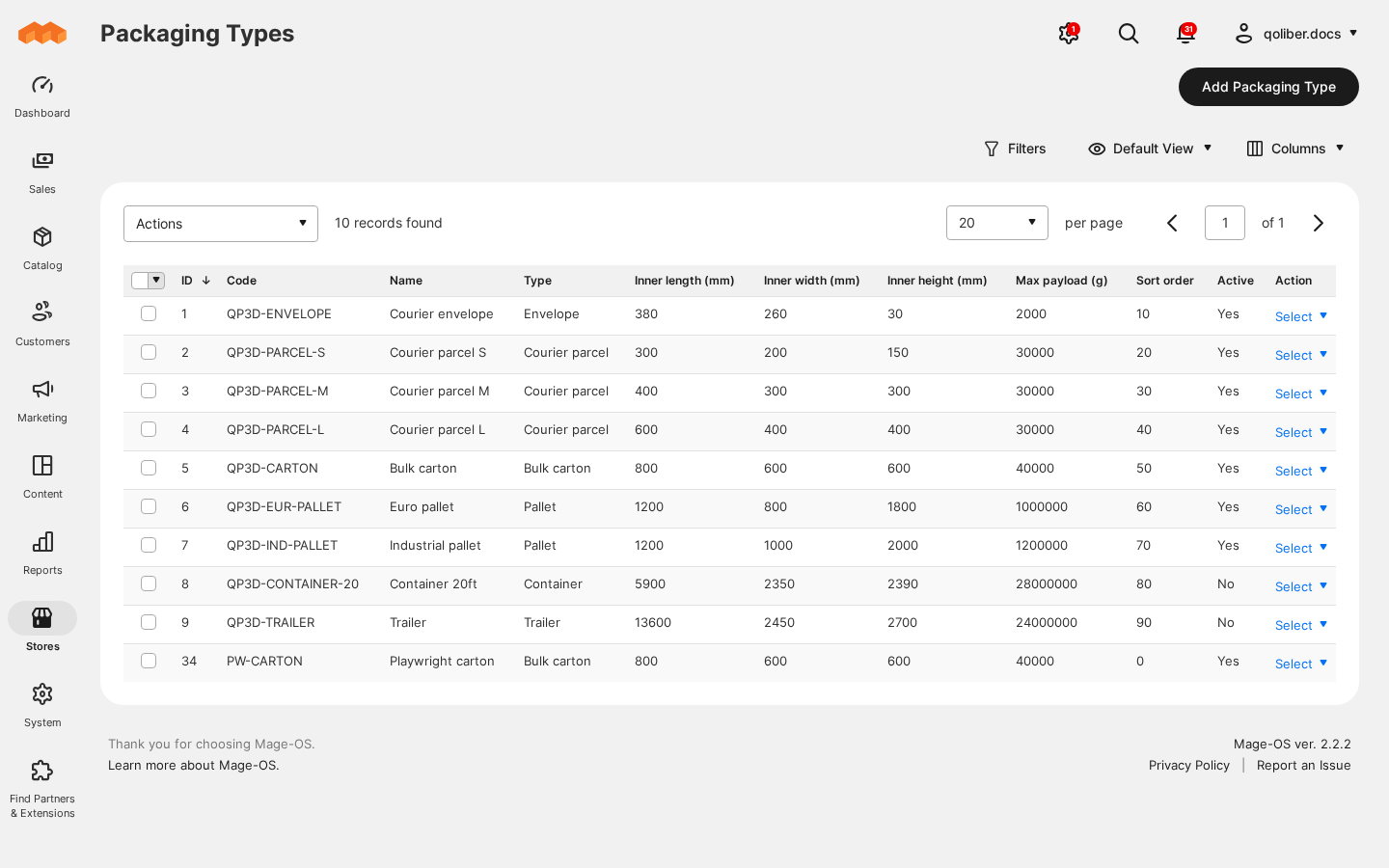
- Your boxes, not a fixed list. The catalogue ships nine common European formats to start from, and every one of them is an ordinary row you can edit or delete.
- It shows its working. Each package reports how full it is and where every item sits, so a surprising quote can be explained rather than argued with.
Good to know
- It declines rather than guesses. A cart with an item no active box can hold, a packing run that exceeds its time budget, or a destination no rule covers gets your "contact us" message, not a made-up price — and a cart with nothing measured gets no rate from this carrier at all.
- Packaging stock is a limit, not inventory. Available quantity stops one order being packed into more boxes than you have; it is not reserved or decremented, and it is one figure per packaging type, not per MSI source.
- One shipment, one origin. There is no multi-source or split-shipment awareness.
- Hyvä Checkout has no adapter. The module's only storefront output is the packing summary; Hyvä Checkout renders its own shipping step, so placing the summary inside it is your theme's call. The Hyvä cart renders the summary as shipped; its shipping estimator on Hyvä 1.5 needs a small theme-side adapter to select this carrier's rate correctly.
Supported versions
PHP 8.2, 8.3, 8.4 or 8.5. Magento Open Source and Mage-OS on the 2.4.6 line or newer
(magento/framework ^103.0).