3 min readOct 16, 2026by jakub
Qoliber Store Credit
Keep refunds, goodwill and promotions inside your store: customers get a wallet they spend at checkout, and your finance team gets a ledger that explains every cent of it.
Latest version: 1.2.1 — changelog
Who it's for
- Stores that refund to credit. A credit memo can return all or part of an order's store credit to the wallet instead of the card, so the money is spent with you again.
- Customer service teams who settle complaints with credit: every adjustment carries a reason code (compensation, promotion, correction) and a note the customer can see.
- Multi-website and multi-currency merchants. Balances are tracked per website or globally, each in its own currency, with a command to move them to one currency when the setup changes.
- Finance teams that need the liability to add up: an append-only ledger, a read-only drift check, and CSV exports of both balances and movements.
Why it matters
- Refunds stay as revenue. Money refunded to the wallet comes back as an order, not as a chargeback to the card.
- Fewer balance disputes. Every credit and debit is a ledger row with a reason, an actor and a date, so "why is my balance this?" has an answer support can read out.
- No double spending, no underpaid orders. Applying credit reserves it before the order exists; if the hold has lapsed, the order is refused rather than placed with a discount nothing pays for.
- The books reconcile.
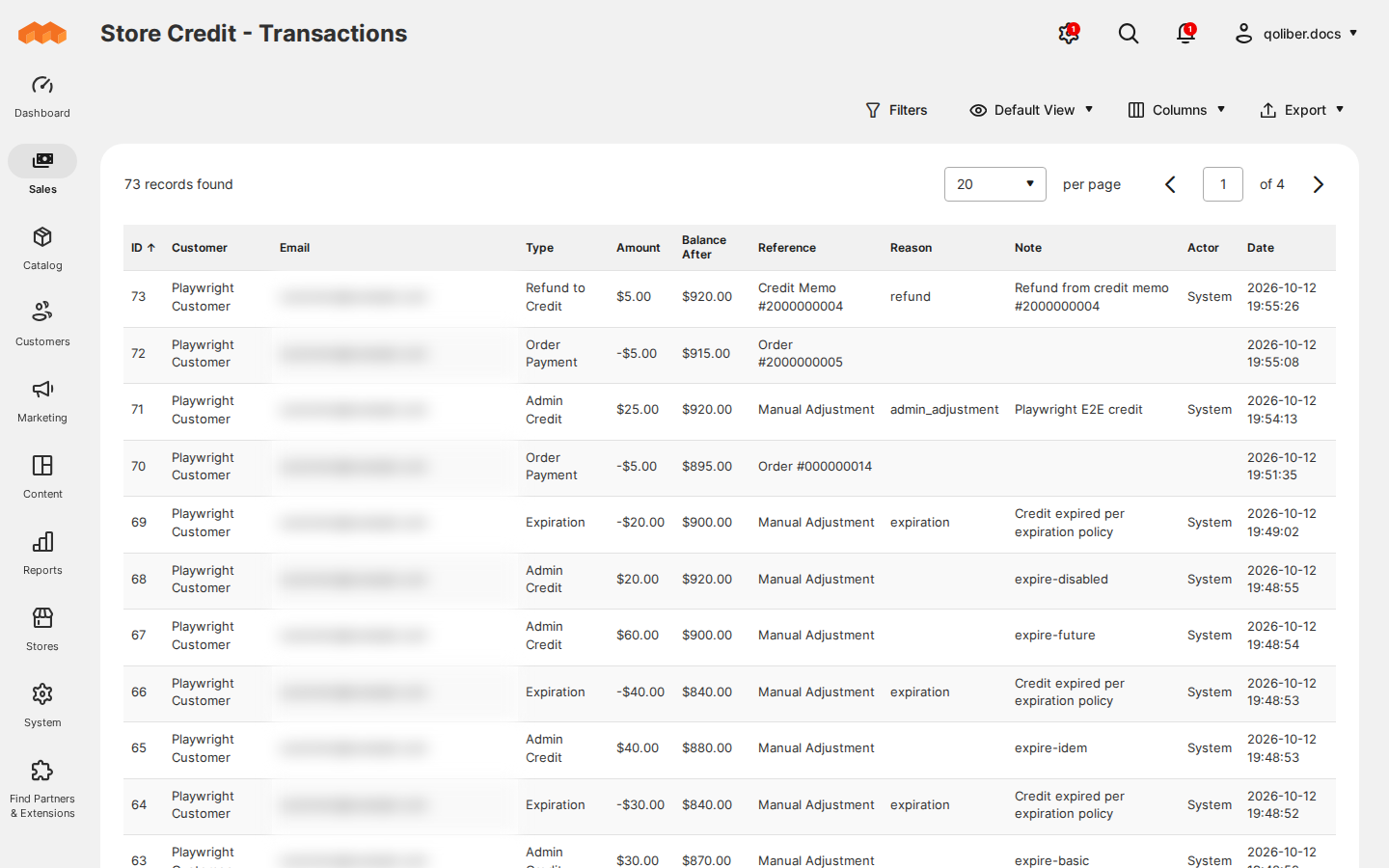
storecredit:reconcilecompares cached balances with the ledger without changing anything, and the transaction grid exports to CSV.
See it in action
- You credit a customer $25 on their Store Credit tab with reason
Compensation and Send Email Notification ticked → the ledger gains an
Admin Credit row of
$25.00, the customer's balance rises by$25.00, and they receive the "Store Credit Balance Update" email. - A customer applies
10at checkout → the order summary shows a Store Credit row of-$10.00and the order total drops by$10.00; the remainder is paid with their chosen payment method. - You refund an order with Refund to Store Credit set to the order's Max → that amount returns to the wallet as a Refund to Credit row and is taken off the credit memo total, so the card is not refunded for it too.
- You switch on expiration with Default TTL (Days)
365and Warning Days Before Expiration14→ customers are warned by email two weeks ahead, and the daily job removes credit left unspent after a year, oldest credit first.
What you get
| Feature | Benefit |
|---|---|
| Customer balances | See every wallet's posted, reserved and available credit in one grid, and find a customer by email |
| Credit or debit a customer | Settle a complaint or run a promotion in seconds, with a reason code and a note the customer can read |
| Transactions | An append-only ledger of every movement, filtered and exported to CSV for finance |
| Refund an order to store credit | Return refund money to the wallet instead of the card, so it is spent with you again |
| Use credit on an admin order | Phone and back-office orders can be paid with credit too |
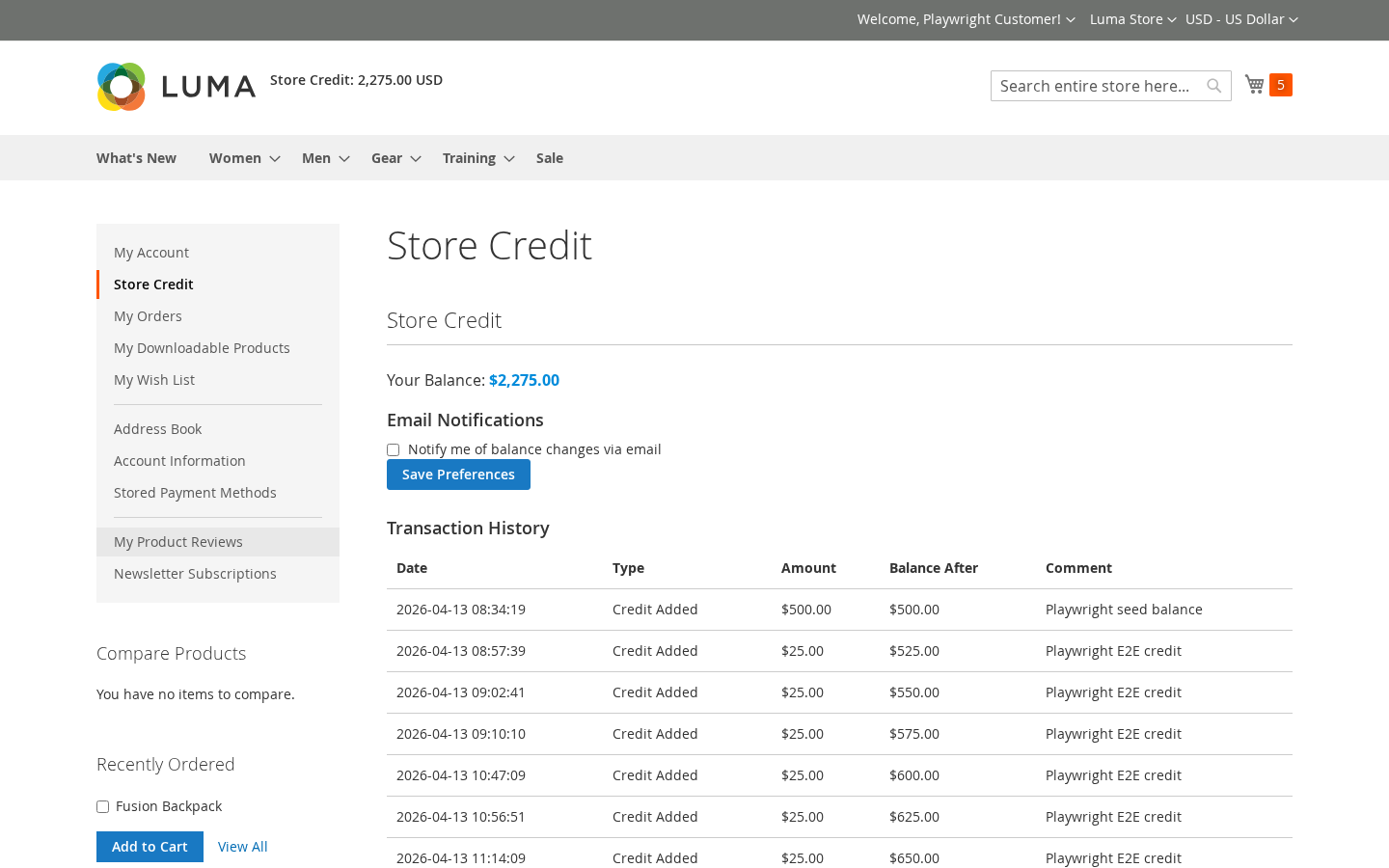
| What customers see | Customers check their balance and history in My Account, on Luma or Hyvä, without contacting support |
| Credit in the cart and at checkout | Customers choose how much credit to spend, or apply all of it, in the cart, at checkout and in Hyvä Checkout |
| Scheduled jobs and command-line tools | Expiry, reservation cleanup and retries run on cron; reconcile, repair, import and export from the command line |
| Customer emails | Customers hear about every balance change, refund and upcoming expiry, and can switch the updates off |
| Expiration with warning emails | Put a shelf life on credit and remind customers before it lapses |
| REST and GraphQL APIs | Connect POS, ERP or a headless storefront to the same wallet |
| Outbound webhook | Push every posted transaction to another system |
Competing solutions
The right-hand column describes common practice on the extension market, not any particular vendor.
| Qoliber | Typical marketplace extension | |
|---|---|---|
| GitLab access | Full access to the module's GitLab repository — source, history, issues and merge requests | Varies by vendor |
| Packagist installation | Installed and updated with Composer from our private Packagist (qoliber.repo.packagist.com) | Varies by vendor |
| Slack access to the development team | A shared Slack channel with the developers who build and maintain the module | Usually ticket-based |
| Unit tests | 787 PHPUnit unit tests (243 classes) in the repository | Not typically published |
| Integration tests | 82 Magento integration tests (14 classes), run before every release | Not typically published |
| E2E Playwright tests | 90 Playwright end-to-end tests on Luma and Hyvä, run before every release | Not typically published |
| Documentation | Full docs portal: install, configuration, usage, API reference | Varies by vendor |
| Hyvä support | Dedicated Hyvä theme and Hyvä Checkout modules | Varies by vendor |
| PHP / Magento range | PHP 8.1 to 8.5; Magento Open Source and Mage-OS 2.4.x (magento/framework ^103.0) | Varies by vendor |
- Hyvä-native. Dedicated Hyvä and Hyvä Checkout modules, not a Luma fallback.
- API-first. 15 REST endpoints and a GraphQL query with five mutations.
- No SaaS. Balances, ledger and emails live in your Magento database; the only outbound call is the optional webhook you configure.
Good to know
- Auto Apply at Checkout and Allow Payment Method Selection on Zero Total appear in configuration but are planned for a future release and do nothing yet.
- Bulk import runs from the command line (
storecredit:import); there is no import screen in the admin. - A refund to credit can return only what the order was paid with in store credit. To give more, credit the customer directly.
- The Loki Checkout companion is not part of the 1.2 release.
Supported versions
| Requirement | Supported |
|---|---|
| PHP | 8.1, 8.2, 8.3, 8.4, 8.5 |
| Magento / Mage-OS | magento/framework ^103.0 (Magento Open Source 2.4.x, Mage-OS) |
| Hyvä theme | 1.3 and later, via qoliber/store-credit-hyva |
| Hyvä Checkout | 1.3 and later, via qoliber/store-credit-hyva-checkout |
| Headless / PWA | GraphQL via qoliber/store-credit-graph-ql |
Next steps
- Install the extension
- Configure it
- Day-to-day usage
- Which modules you need
- Agencies and resellers: partner with qoliber