GPSR Compliance
The General Product Safety Regulation asks an online listing aimed at EU consumers to identify the product's manufacturer, the person responsible for it inside the EU when the manufacturer is established outside it, and the safety information a buyer needs before purchasing. This extension lets you record that once per manufacturer and shows it on every product that manufacturer makes, so a catalogue of two thousand products from forty manufacturers needs forty records, not two thousand edits.
Latest version: 1.2.0 — changelog
Who it's for
- Stores selling to consumers in the EU, the market Regulation (EU) 2023/988 applies to.
- Stores importing from manufacturers outside the EU, which must also name the responsible person inside the EU; the record has a field for exactly that.
- Multi-language and multi-store installations. Every storefront heading and the placement are per-store-view settings, and Polish translations ship with the module.
- Catalogues where many products share a manufacturer. A record binds to one option of a product attribute, so a product joins a manufacturer by carrying that option, not by being edited one at a time.
Why it matters
- Helps you comply with the regulation's online-listing requirements by putting manufacturer identity, the EU representative and safety documents where the buyer reads before purchasing, on every matching product.
- Nothing to repeat per product. A manufacturer's details and documents are entered once; any product whose manufacturer attribute matches shows them.
- Documents customers can open. Declarations of conformity, safety instructions and similar files are attached to the manufacturer and listed with a description. Uploads are checked by extension and content, so only documents and images reach the storefront.
- It fits your theme. Luma and Hyvä templates ship with the module, rendering inside a product tab or below the description, with every heading editable per store view.
See it in action
Each row is a behaviour the extension's Playwright suite proves on a live store.
| You set | Customers see |
|---|---|
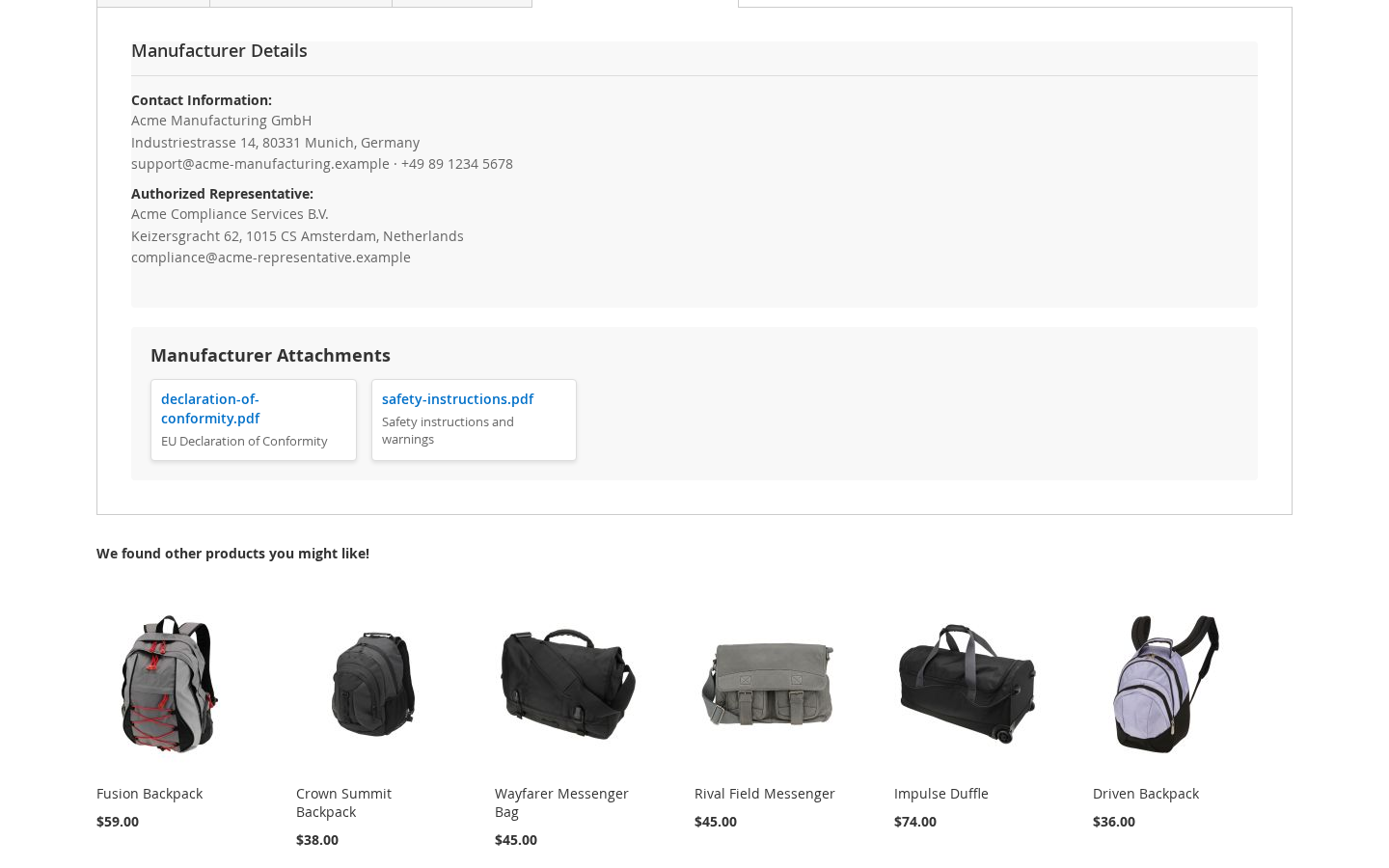
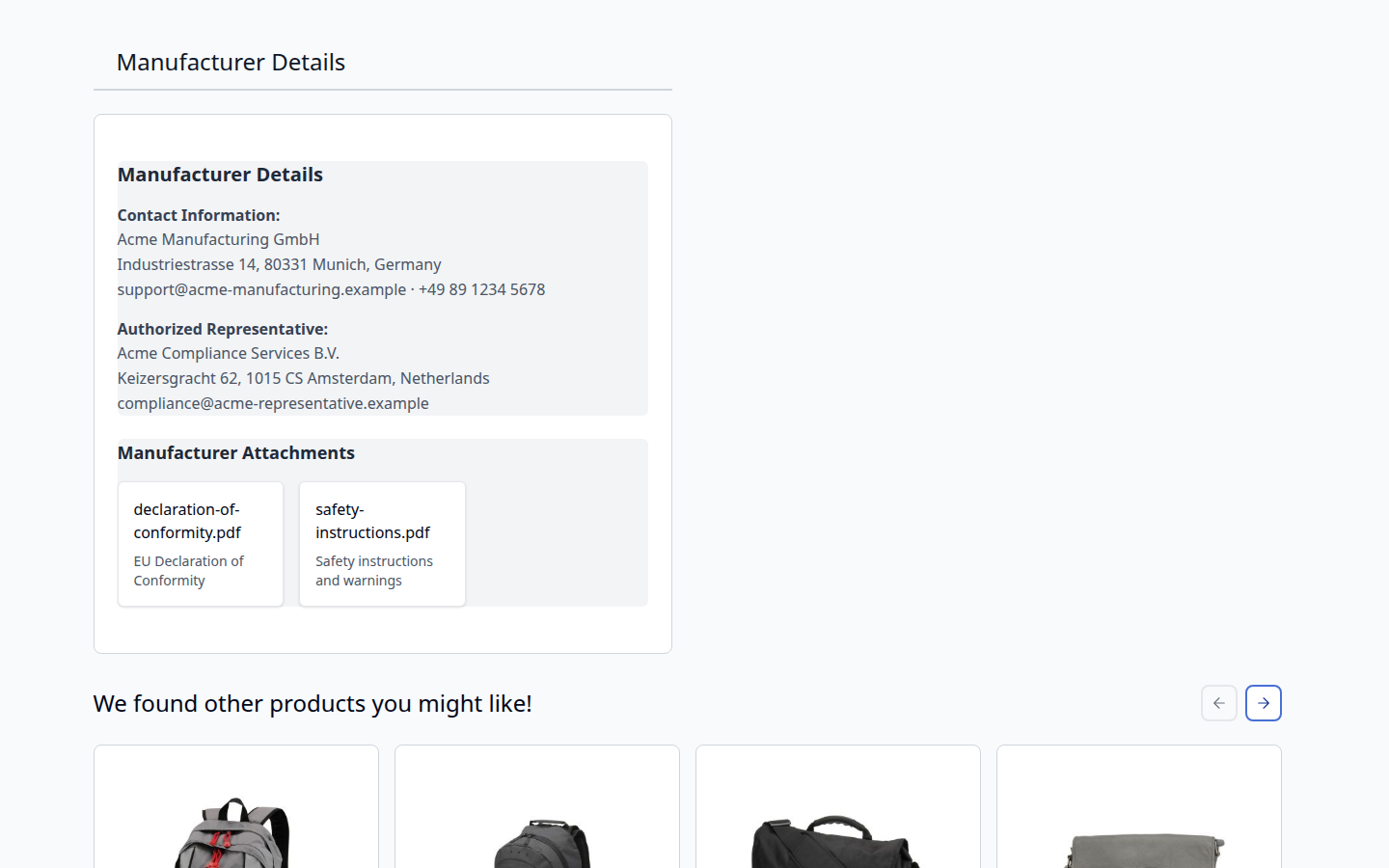
| A manufacturer record for the attribute option Acme Manufacturing, with contact information and an authorized representative | A Manufacturer Details tab on every product whose manufacturer attribute is Acme Manufacturing, showing exactly the text you entered |
declaration-of-conformity.pdf attached with the description "EU Declaration of Conformity" | A Manufacturer Attachments list under the details, each file a link with its description beneath it |
| Display Manufacturer Details switched to Below Product Description | The same details in the main product column, outside the product tabs |
| Display Manufacturer Details switched to No | No manufacturer details on the product page |
Features
Each row links the walkthrough on the usage page, which is available to clients who own the extension.
| Feature | Benefit |
|---|---|
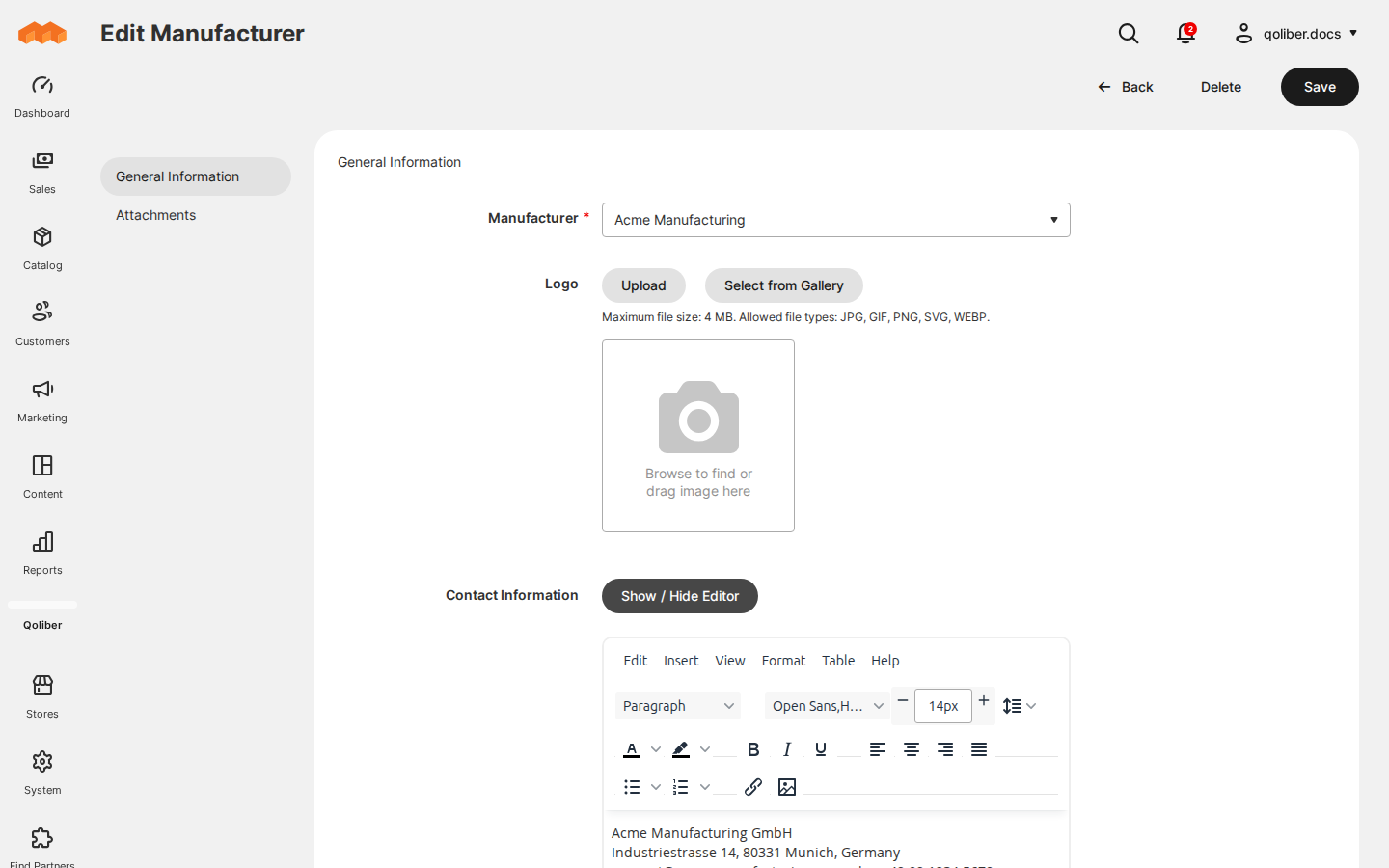
| Manufacturer records | Enter a manufacturer's contact details, EU representative, logo and safety documents once, bind the record to a product attribute option, and every product carrying that option shows it |
| On the storefront | The details render as a product tab or below the description, on Luma and on Hyvä, under headings you name per store view |
Competing solutions
The right-hand column describes common practice across marketplace extensions, not any particular vendor.
| Qoliber | Typical marketplace extension | |
|---|---|---|
| GitLab access | Full access to the module's GitLab repository — source, history, issues and merge requests | Varies by vendor |
| Packagist installation | Installed and updated with Composer from our private Packagist (qoliber.repo.packagist.com) | Varies by vendor |
| Slack access to the development team | A shared Slack channel with the developers who build and maintain the module | Usually ticket-based |
| E2E Playwright tests | 50 Playwright end-to-end tests (9 spec files) on Luma, run before every release | Not typically published |
| Documentation | Full docs portal: installation, configuration, a usage walkthrough with screenshots, troubleshooting and a developer guide | Varies by vendor |
What sets it apart
- No third-party service. Manufacturer records and documents are stored in your Magento database and media directory and rendered by your own storefront. Nothing leaves the store.
- Translated. Admin and storefront strings ship in English and Polish, and every storefront heading is a plain setting you can change per store view.
Also available in: Polish.
Good to know
- One attribute serves the whole installation. The manufacturer attribute is a global setting. A product with no value for it, or whose attribute set does not contain it, shows no details.
- The module publishes the information; it does not decide what the information must say. Which details and documents a given product needs under the regulation remains your call.
- Contact and representative fields are HTML. They keep the line breaks and formatting you enter in the editor and are rendered as entered, so treat them as trusted admin input.
- Documents live in public media. Attached files are served from
pub/media, which is why script and executable formats are refused on upload.
Supported versions
The package requires magento/module-eav (any version) and qoliber/core 1.0.6 or newer, which provides the shared Qoliber admin menu. It declares no PHP or Magento version constraint. This release was verified on Mage-OS 2.2.2 with PHP 8.3, on Luma and on Hyvä.