Helpdesk
Answer every customer question where the order already lives. Customers open tickets from My Account or the order page, your team answers from the Magento admin, and both sides get every message by email. No separate helpdesk subscription, and no copying order numbers between two systems.
Latest version: 1.0.0 — changelog
Who it's for
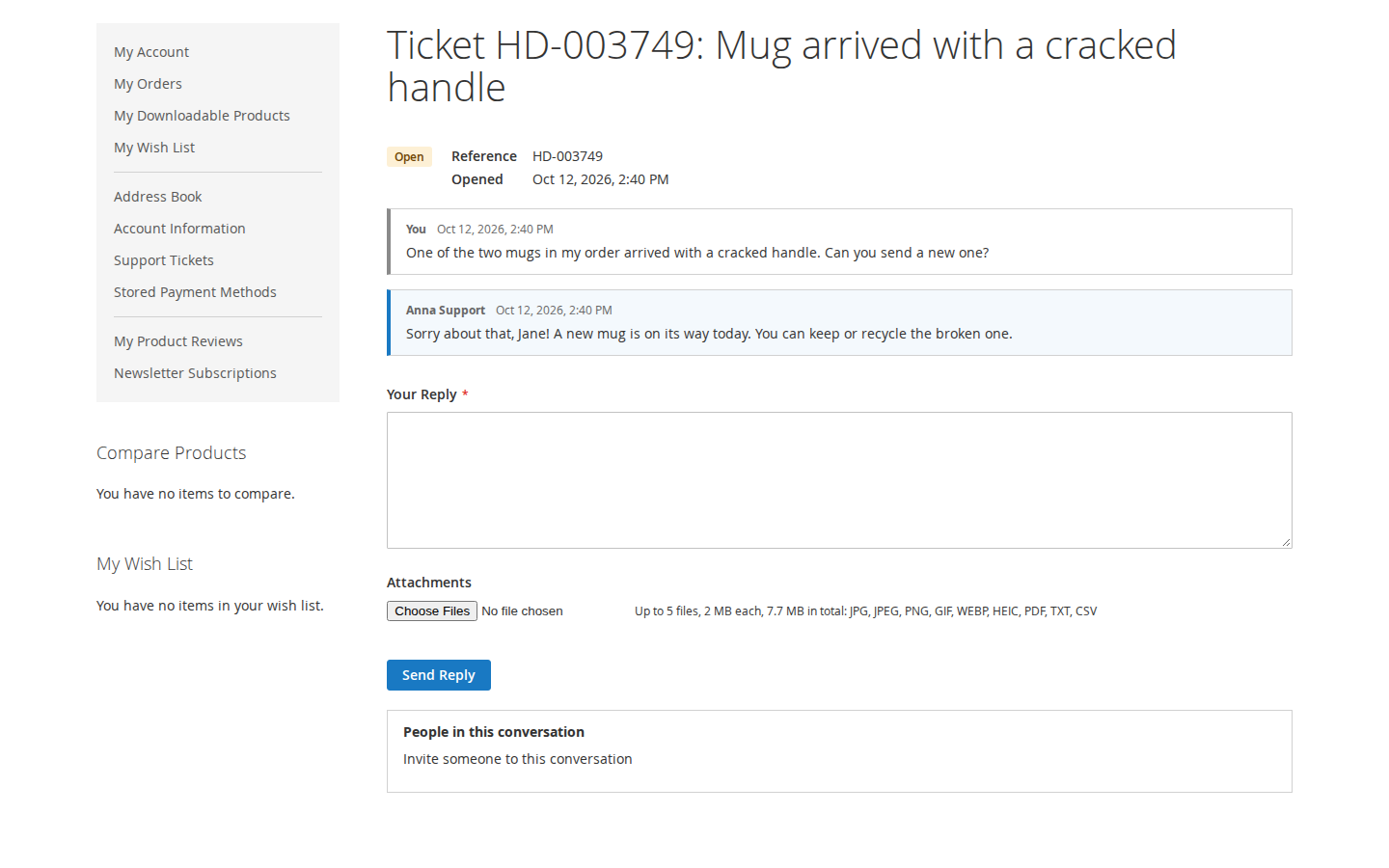
- Stores that answer order questions all day. Tickets link to the customer's own orders, and shipments, refunds and cancellations are posted to the open tickets about the order.
- Stores that handle damage and return claims. Agents ask for exactly the photos and numbers they need, and the customer answers them in one form.
- Stores whose buyers do not always have an account. Guest tickets work with an email address and a confirmed personal link, and can later move into the customer's account.
- B2B and wholesale stores. Customers invite a colleague or your team invites a supplier into the conversation, without an account.
- Hyvä stores. A companion package brings every customer page to Hyvä, CSP themes included.
Why it matters
- Fewer "where is my order?" questions. Tracking numbers, refunds and cancellations reach the customer in their ticket and by email, and the ticket page shows when they will hear back.
- Faster first answers. Topics, departments, saved replies with placeholders and checklists get each ticket to the right person with the right information.
- Nothing gets lost. Emails are stored with the ticket change, retried when the mail server fails, and listed on the ticket with their state.
- Less spam in your inbox. Guest tickets reach the team only after the guest confirmed the address, with per-visitor limits and optional CAPTCHA.
- Privacy requests in minutes. One screen finds, downloads and erases everything the helpdesk stores about an email address.
See it in action
Every example below is what the end-to-end suite sets up and checks on a Luma and a Hyvä store.
-
You list the Ticket Topics
Order status,Shipping and delivery,Returns and refunds, … → your customer picksReturns and refundsunder "What is it about?" → your ticket grid readsReturns and refundsas the subject, not whatever the customer typed. -
You save the reply
Hi {{customer_first_name}}, here is a fresh tracking link for {{reference}}.→ your agent inserts it on Jane's ticket → the reply field readsHi Jane, here is a fresh tracking link for HD-000123., ready to send.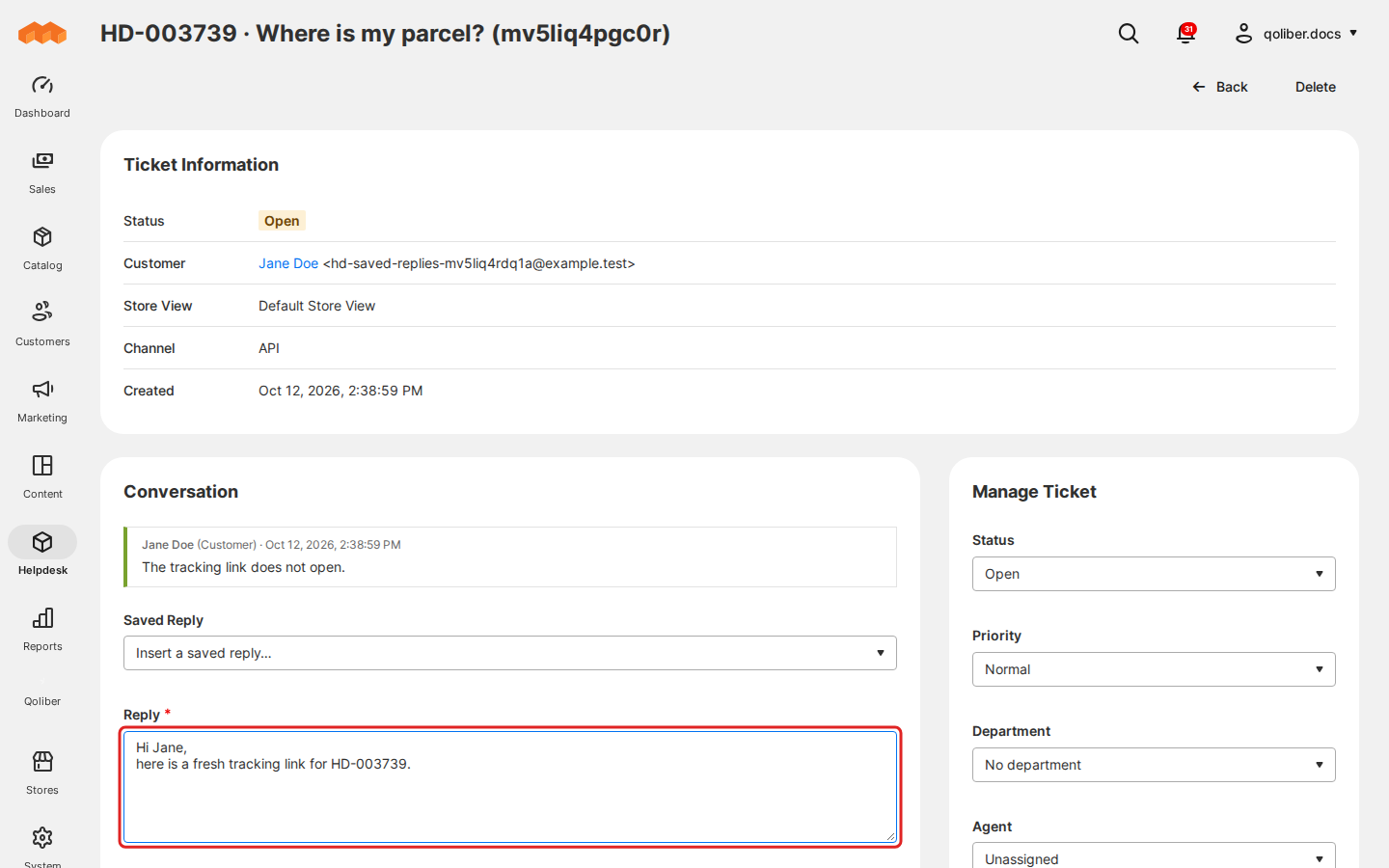
-
Your agent ticks
Photo of the damageandNumber of affected itemsunder "Ask the customer for…" → the customer's ticket page shows "We need a few things from you" with a photo field and a number field → the answers land next to their items on the admin ticket page.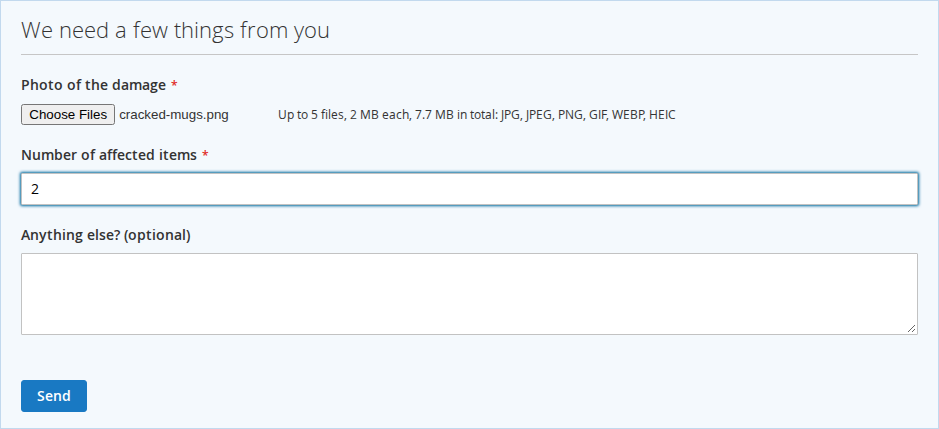
-
You leave "Post Order Updates to Tickets" on Shipped → the warehouse adds a tracking number → the open ticket about the order says "A shipment of your order #000000123 is on its way. PostNL tracking number: …" and the customer is emailed, without an agent writing a word.

-
Your agent sets Waiting On to
Supplierand promises the next update by Friday → the customer's ticket page says "We are checking with our supplier." and "We will update you by …", and the agent is reminded before Friday. -
Your agent marks a ticket Resolved → the customer presses
Solved, thank you→ the page says "Thank you! We have closed the ticket." and the team sees the answer on the ticket.
What it does
Every feature has its own page under Usage:
| Feature | Benefit |
|---|---|
| Support tickets in My Account | Customers open tickets, follow the conversation and reply where they already manage their orders, with a clear subject from your topic list |
| Working on tickets | Replies, internal notes, status, priority, agent and department on one screen; bulk changes from the grid; tickets opened for a customer after a phone call |
| Departments | Each team gets its own queue and inbox, offered only to the store views it serves |
| Ticket statuses | Use your own words, such as "Waiting for supplier", in every store view's language, while reopening and closing keep working |
| Saved replies | Common answers in one click, greeting the customer by name |
| Guest tickets | Visitors ask without an account; the team only sees confirmed addresses; tickets can move into an account later |
| Attachments | Customers send photos and documents; files stay private, and previews are new images without the photo's location data |
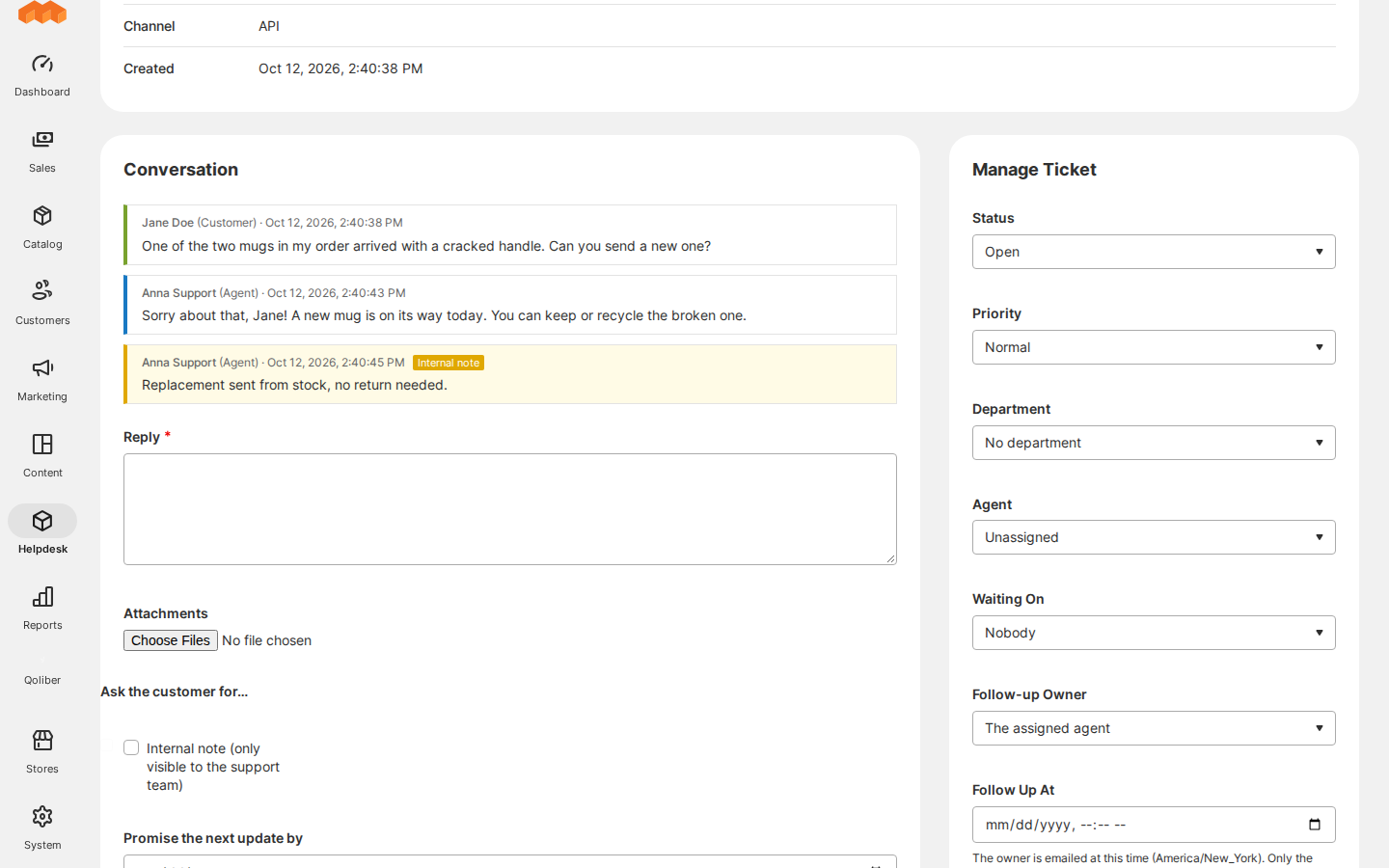
| Requests for information | Ask for the damage photo and the number of broken items once, and get both back together |
| Resolution and automatic closing | Customers confirm "Solved, thank you", and resolved tickets close by themselves |
| Follow-ups and promised updates | The team knows who it waits for, and customers know when they will hear back |
| Ticket invitations | A colleague or supplier joins the conversation through a personal link, until removed |
| Tickets about orders and order updates | Tickets start from the order page; shipping, refunds and cancellations reach the ticket, and late orders reach the team |
| Support preferences | Customers choose their ticket emails and whether you may call them; agents see it before they write |
| Emails | Every email is stored with the ticket, retried when the mail server fails and listed on the ticket with its state |
| Privacy requests | Find, download and erase a person's support data, also from the command line |
| CAPTCHA on the guest forms | Magento CAPTCHA or Google reCAPTCHA on the two forms anyone can send, on Luma and Hyvä |
| REST API | Your ERP, chat or customer app reads and writes tickets for the team and for customers |
Competing solutions
The right-hand column describes common practice on the extension market, not any particular vendor.
| Qoliber | Typical marketplace extension | |
|---|---|---|
| GitLab access | Full access to the module's GitLab repository — source, history, issues and merge requests | Varies by vendor |
| Packagist installation | Installed and updated with Composer from our private Packagist (qoliber.repo.packagist.com) | Varies by vendor |
| Slack access to the development team | A shared Slack channel with the developers who build and maintain the module | Usually ticket-based |
| Unit tests | 668 PHPUnit unit tests (227 classes) in the repository | Not typically published |
| Integration tests | 538 Magento integration tests (72 classes), run before every release | Not typically published |
| E2E Playwright tests | 48 Playwright end-to-end tests (30 spec files) on Luma and Hyvä, run before every release | Not typically published |
| Documentation | Full docs portal: install, configuration, usage, API reference | Varies by vendor |
| Hyvä support | qoliber/helpdesk-hyva: every customer page on Hyvä 1.3 to 1.5, CSP themes included | Varies by vendor |
| PHP / Magento range | PHP 8.1 to 8.5; Magento Open Source 2.4.6 and later and Mage-OS | Varies by vendor |
- Hyvä-native:
qoliber/helpdesk-hyvarenders the customer pages, guest pages and footer column in Hyvä, with CSP-safe Alpine components and no inline scripts. - API-first: REST endpoints for the support team (tickets, replies, statuses, departments, saved replies, follow-ups) and for customers' own tickets and preferences.
- No SaaS: tickets, files and emails stay in your Magento database, your
varfolder and your mail server. Only the optional Google reCAPTCHA calls an outside service.
Good to know
- Replies happen on the site and in the admin. Replies sent by email are not imported into tickets.
- Magento cron must run: it sends and retries emails, closes resolved tickets, sends reminders and makes photo previews.
- Attachments live in
var/qoliber_helpdesk, which must be shared between web nodes and deployments. - Hyvä stores need
qoliber/helpdesk-hyva. CAPTCHA on the guest forms needsqoliber/helpdesk-captcha.
Supports Magento Open Source 2.4.6 and later and Mage-OS, PHP 8.1 to 8.5, Luma and Hyvä 1.3 to 1.5.
Next steps: Install Helpdesk · Configure it · Quick start. For licensing or partnership questions, see partnership.