ContentBridge
Build and approve changes on staging, then promote them to production as one reviewed, audited step: store structure, catalog, pricing and tax rules, CMS content and selected settings. You need no database dumps, and nothing lands on the wrong product, category or block because the two stores number their records differently.
Latest version: 1.0.0 — changelog
Who it's for
- Stores that prepare changes on a separate instance, whether staging feeding production or a content instance feeding the live storefront. ContentBridge connects two independent Magento installations, each with its own database.
- Multi-website and multi-store merchants. Websites, store groups and store views merge by their codes. CMS blocks and pages keep the store views they belong to. Categories under more than one root category merge too.
- Merchandising and pricing teams. Catalog price rules, cart price rules, tax rules and widgets arrive with their conditions and scope pointing at production's own categories, customer groups and websites.
- Teams that must show who changed what. Pairings, pushes and merges are written to an audit log on both instances, naming the admin wherever an admin started the action.
Why it matters
- Approved changes go live as approved. Content and catalog structure built on staging reach production without anyone retyping them, so production doesn't need a second round of checks for typos.
- Nothing lands on the wrong record. Every record and every reference is matched by something both stores share, such as a code, a SKU, a URL path or an option label. If a reference has no match, the row fails and names what is missing. ContentBridge never guesses.
- You review before anything is written. A merge cannot be committed without a dry run first, and the commit is refused if the data changed since that dry run.
- Production keeps what belongs to production. Orders, customers, payment and shipping settings never travel, and no product, category, block or rule is ever deleted on the receiving store.
- Every promotion is on the record. The audit log shows which admin promoted what, over which connection, and with what result.
See it in action
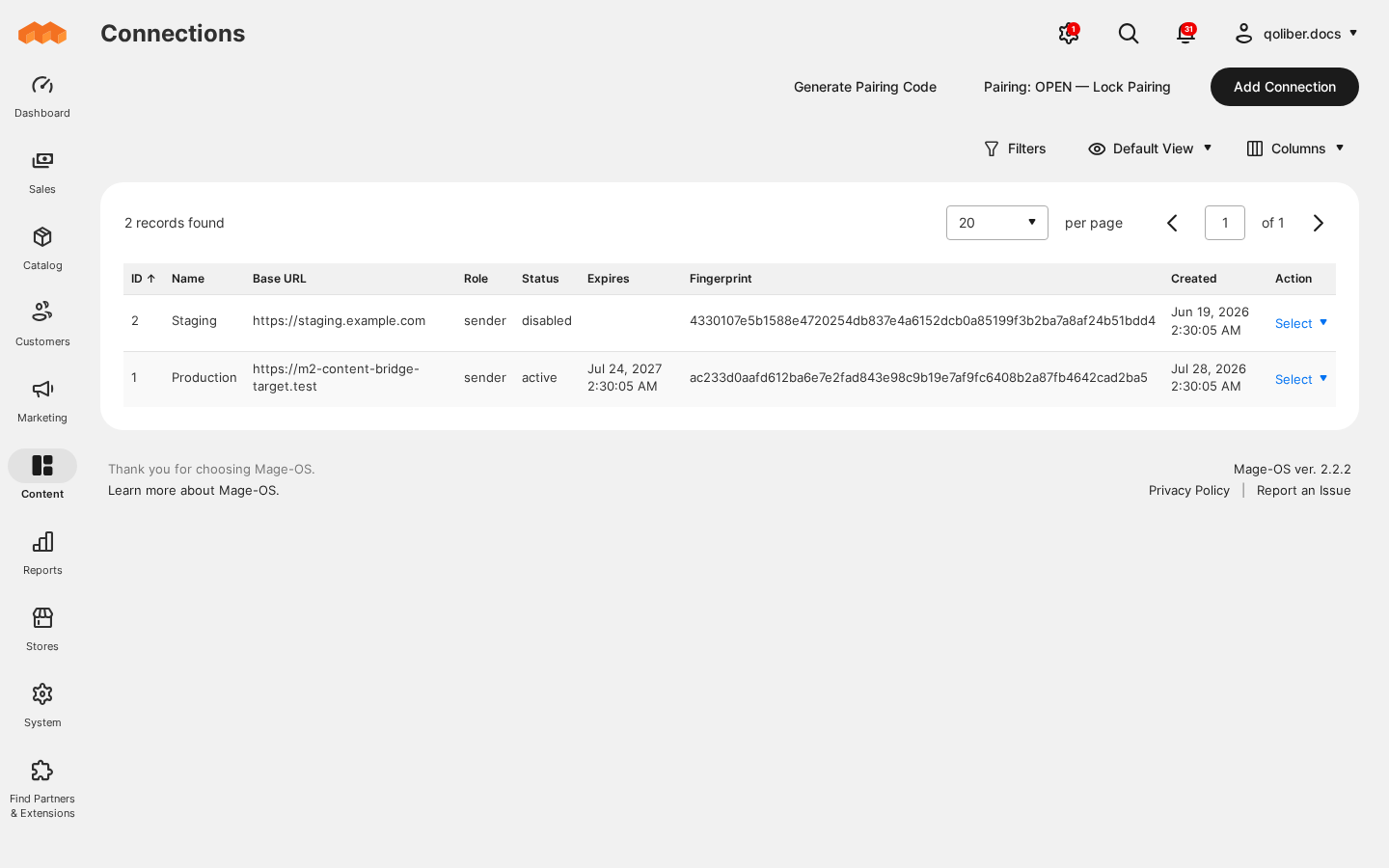
Pair two stores once. You generate a one-time code on production and enter it, together with production's URL, on staging. You get a connection that appears on both stores and expires after the length you chose.
A price rule that still targets the right category. You merge your categories, then a catalog price rule whose condition names one of them. The rule arrives matched by its name, and its condition points at production's own copy of that category, even though the two stores number their categories differently.
An embedded block that renders the right block. On staging, a CMS block embeds your footer-links block by its row number: {{widget type="Magento\Cms\Block\Widget\Block" template="widget/static_block/default.phtml" block_id="12"}}. Production numbers its blocks differently, so 12 there could be any block. You push the block, and it travels with the reference as footer-links. It arrives with block_id set to production's own number for footer-links. A block that embeds one production does not have is refused with unresolved_content_reference rather than stored to render someone else's content.
Features
| Feature | Benefit |
|---|---|
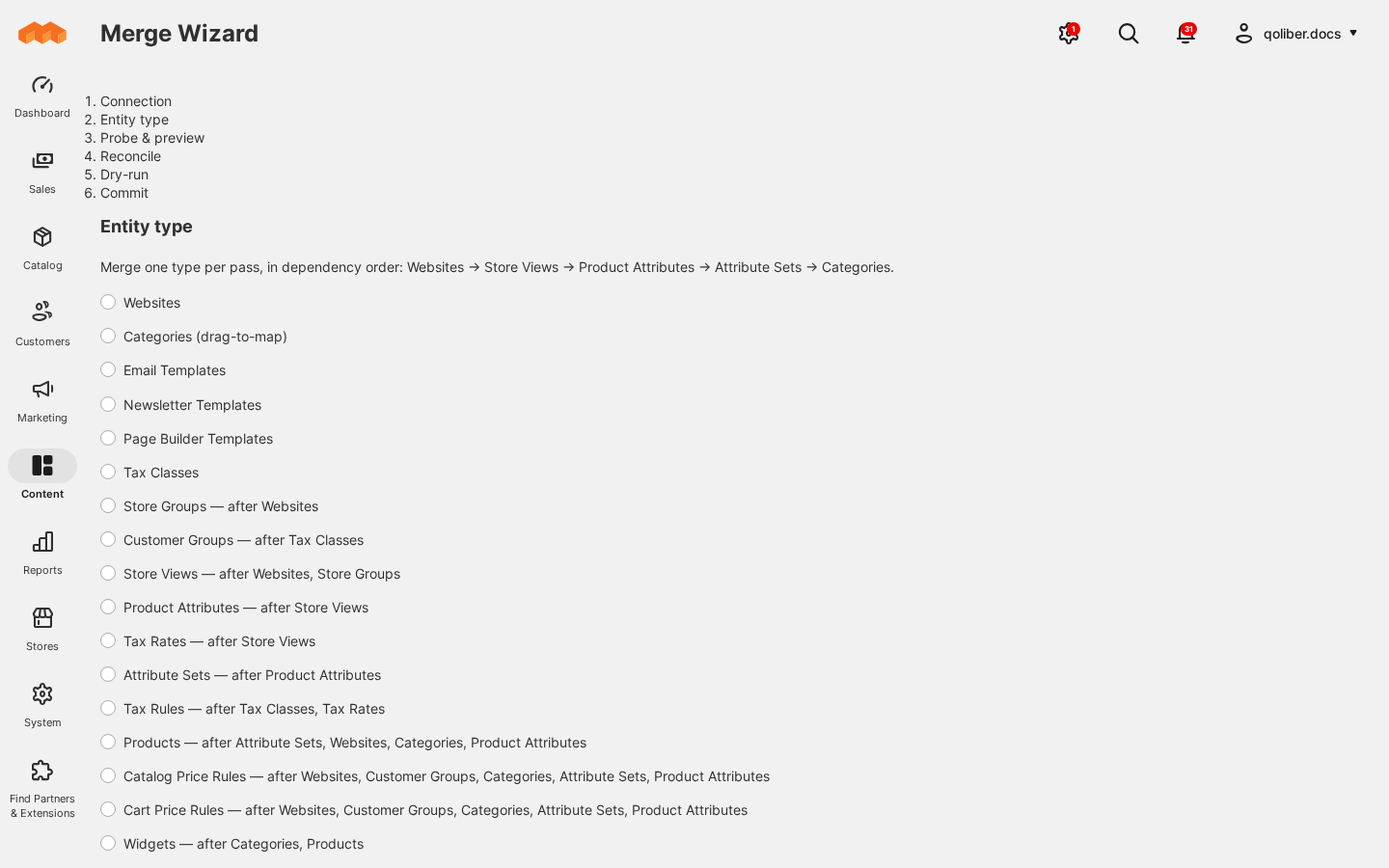
| Merge Wizard (18 entity types) | Promote websites, store groups and views, attributes and attribute sets, categories, products of every type, price and tax rules, widgets, templates and hand-made URL rewrites, one type at a time and in an order the wizard works out for you. |
| Mandatory dry run and preview-bound commit | See every row that would be created, updated or removed before anything is written. The commit is refused if the data changed since that dry run. |
| Category drag-to-map editor | Point a staging category at an existing production category instead of creating a duplicate. |
| Sync profiles with change detection | Push CMS pages and blocks with their images, store views, customer groups, product attributes and allow-listed settings, sending only what changed since the last run. |
| ContentBridge: Push… in the CMS block, CMS page and customer group grids, and a push button on CMS edit pages | Send exactly the items you selected, straight away or with the next profile run. |
| Connections and one-time pairing codes | Connect two stores without copying a secret by hand. Each connection can expire, and can be disabled or revoked. |
| Inbound connection limit and pairing lock | Decide how many stores may send to production, and stop new pairings with one click. |
| Product images and downloadable files settings | Choose whether product image files and downloadable link files travel with the merge, with a size limit for each. |
| Outbound Allowed Hosts | Restrict the hosts a store may ever send to, whatever a connection's URL says. |
| Audit log | Answer "who promoted this, and when?" for pairing, pushes and merges on both instances. |
What sets it apart
- Runs between your own stores. The two instances talk to each other directly over HTTPS, and every request after pairing is signed with that connection's own secret. There is no third-party service in the path, and your data stays on infrastructure you control.
Good to know
- Two instances, matching versions. Install the sender package on the store that sends and the receiver package on the store that receives; each brings the core package with it. Run the same ContentBridge version on both, and upgrade the receiving store first.
- Every transfer is started by an admin. Sync profiles and merges run when an admin starts them. Nothing is pushed on a schedule or when you save an item.
- New product images need Send Product Images. It is off by default, because a full catalog's images are too large for one request. With it off, images the receiving store already holds get their label, position and roles updated, but an image that is new there is not added. Turn it on for the products whose new images must arrive, and merge them in smaller selections.
- Some data never travels. Orders, customers, quotes, inventory quantities, payment, shipping and mail-transport settings, encrypted values and autogenerated URL rewrites stay where they are. A price rule whose conditions filter on a select attribute is refused rather than merged with option ids that mean something else on production.
Supported versions
PHP 8.3 and 8.4. Magento Open Source 2.4.8 or later in the 2.4 line, or Mage-OS 2.x (magento/framework >=103.0.8 <104.0.0). Built and tested against Mage-OS 2.2.2 (Magento 2.4.8-p4).
Next steps
- Install the extension on both stores
- Review the settings
- Agencies and resellers: see the partnership program