Document Numbering
Give every order, invoice, shipment and credit memo a number your accountant will accept: in the pattern your market expects, never issued twice, and with a recorded reason behind every gap. Nothing changes when you install it, so you can move one document type at a time.
Latest version: 1.0.0 — changelog
Who it's for
- Stores whose invoices must run in unbroken sequences, per year or per month. Strict allocation is gapless, and the reset policy restarts the counter on schedule.
- Stores selling into several countries or currencies that must number each one separately. A counter scope such as
{yyyy}/{mm}/{billingCountry}gives every country its own sequence each month. - Stores with years of existing documents that want the new numbering applied to that history, oldest document first.
- Finance teams and auditors who have to account for every number, including the ones that were never used.
Why it matters
- Numbers that match how you file. Compose them from the date, store, website, billing country, currency, customer group, document type and a padded counter, instead of accepting Magento's single fixed sequence.
- No number is ever issued twice. Every number is claimed atomically, so two checkouts finishing at the same moment cannot receive the same one — and a number already on a document is refused rather than issued a second time.
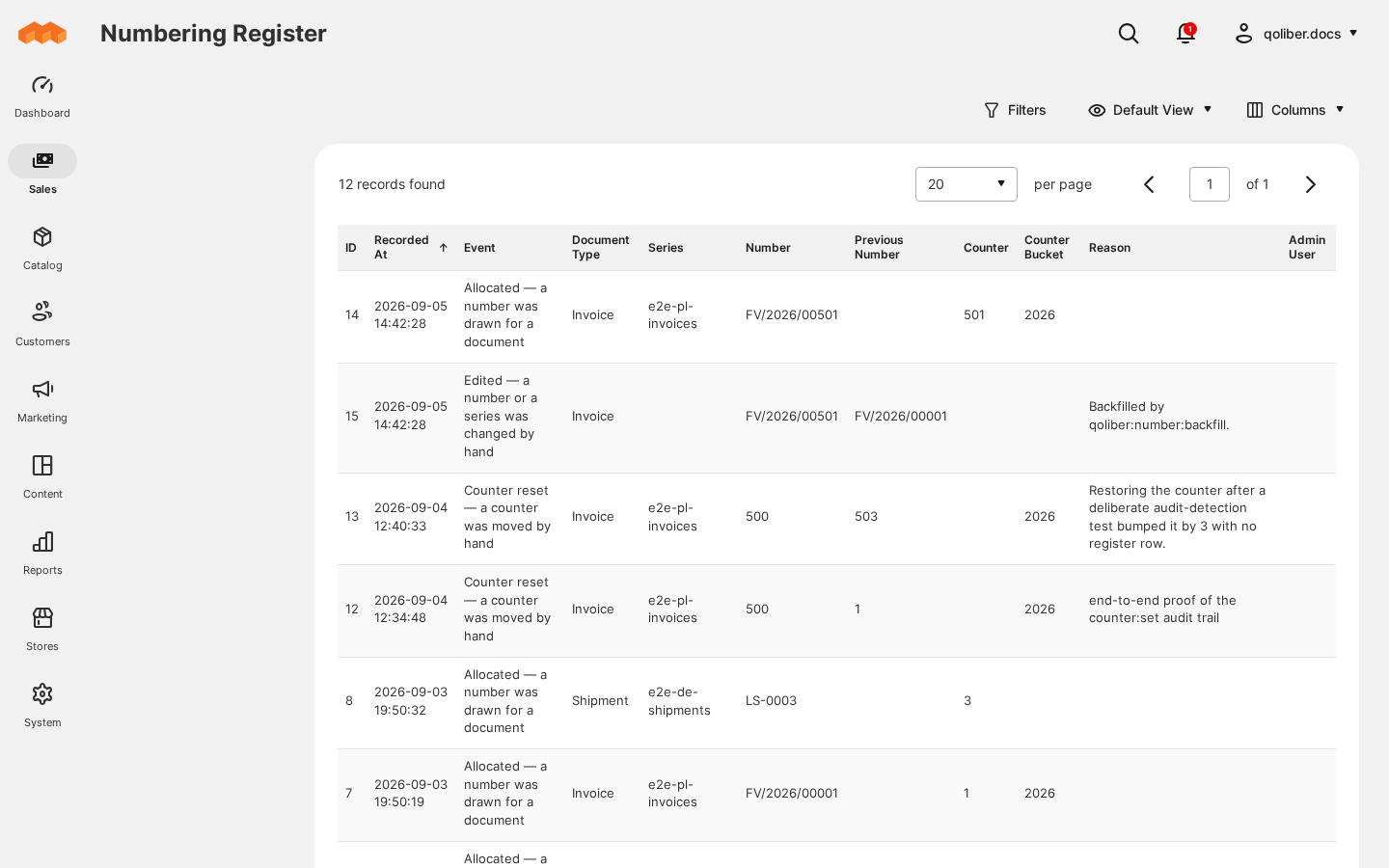
- Every gap has an explanation. The numbering register records each number drawn, reserved, converted, expired, refused or changed.
qoliber:number:auditexits non-zero on a number nothing explains, so a gap raises an alarm in cron or CI instead of surfacing during an audit. - Corrections that stay defensible. An authorized admin changes an assigned number with a mandatory reason; the old number is retired for good and the change is recorded against their user.
- Safe to install. With no series configured, Magento numbers every document exactly as it did before.
See it in action
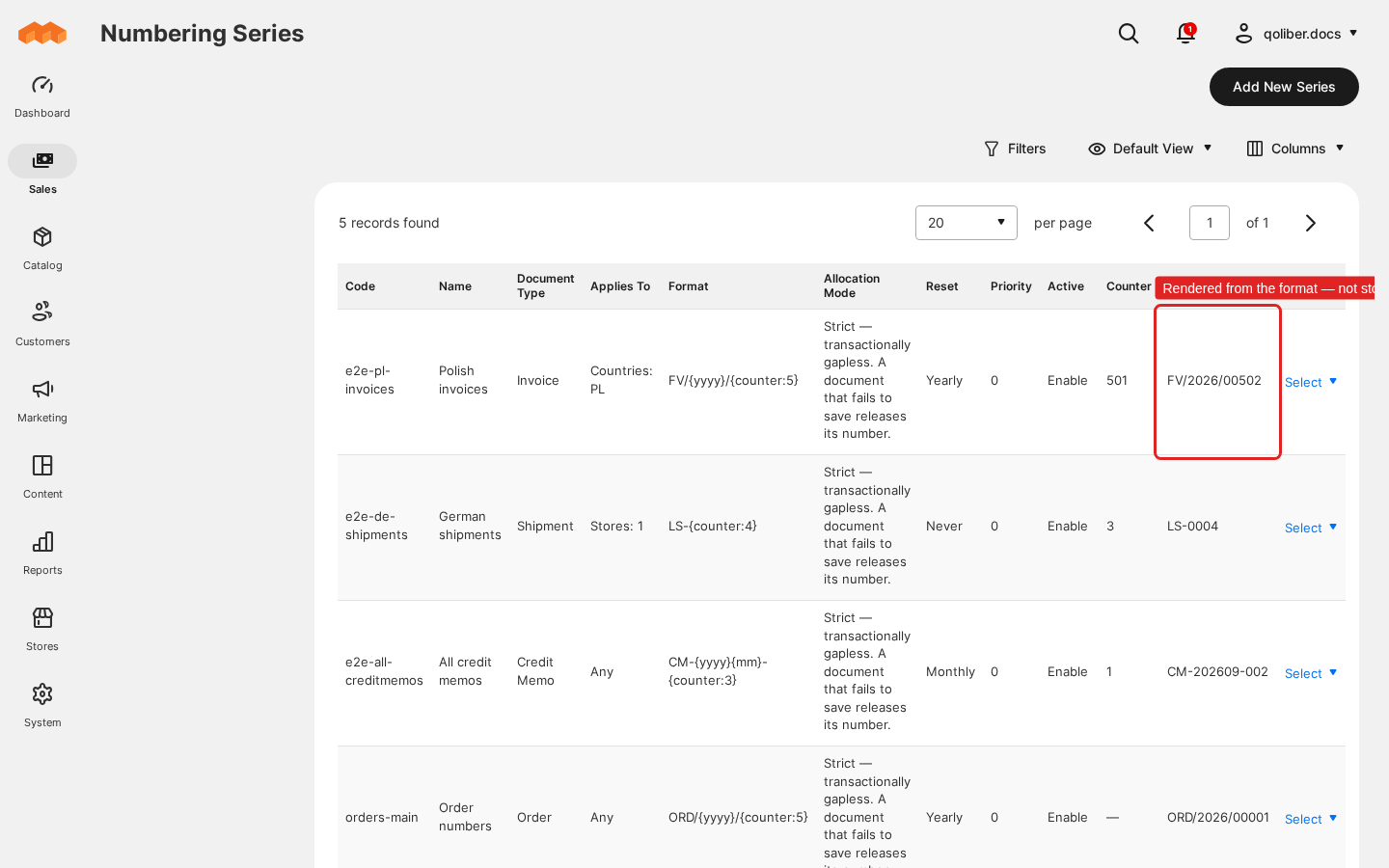
Invoice numbers that restart every month. You set the format FV/{yyyy}/{mm}/{counter:5} and a monthly reset → you get invoices such as FV/2026/01/00042, and February's first invoice starts again from the series' first number.
Each country numbered on its own. You set the counter scope {yyyy}/{mm}/{billingCountry} and the format FV/{yyyy}/{mm}/{billingCountry}/{counter:5} → in January your Polish invoices run FV/2026/01/PL/00001, FV/2026/01/PL/00002, while the first German invoice is FV/2026/01/DE/00001.
Credit memos that quote their invoice. You give a credit memo series the format KOR/{invoiceNumber}/{counter:4} → its first credit memo, raised against invoice FV/2026/01/00042, is numbered KOR/FV/2026/01/00042/0001.
Features
| Feature | Benefit |
|---|---|
| Set up numbering series | Define a numbering scheme per document type, preview the next number before anything is issued, and restrict each series to the stores, websites, customer groups, countries or currencies it belongs to. |
| Read the numbering register | Answer "what happened to this number?" from a read-only, append-only record — including numbers that never reached a document. |
| Change an assigned number | Correct a wrong number without touching the database, with the reason and the admin on record and the old number retired for good. |
| Command line and cron | Audit, correct counters, write off abandoned reservations and renumber years of history from the command line or from cron. |
| Format variables and padded counters | Print the number the way your accountant files it, without custom code. |
| Counter scope and reset policies | Keep separate, contiguous sequences per country, month or store, restarting daily, monthly or yearly. |
| Strict and fast allocation | Choose gapless numbering, or higher throughput with every gap still accounted for. |
| Order allocation: reserve at checkout or allocate on save | Pass the final order number to your payment gateway, or keep order numbers gapless — chosen per series. |
| Two-level permissions | Let staff correct documents nobody has seen yet, while sent documents need a stronger permission. |
| REST API for series | Manage numbering configuration from your own tooling or deployment pipeline. |
Competing solutions
The right-hand column describes common market practice, not any particular vendor.
| Qoliber | Typical marketplace extension | |
|---|---|---|
| GitLab access | Full access to the module's GitLab repository — source, history, issues and merge requests | Varies by vendor |
| Packagist installation | Installed and updated with Composer from our private Packagist (qoliber.repo.packagist.com) | Varies by vendor |
| Slack access to the development team | A shared Slack channel with the developers who build and maintain the module | Usually ticket-based |
| Unit tests | 307 PHPUnit unit tests (45 classes) in the repository | Not typically published |
| Integration tests | 191 Magento integration tests (55 classes), run before every release | Not typically published |
| E2E Playwright tests | 30 Playwright end-to-end tests (7 spec files) against the Magento admin and the REST API, run before every release | Not typically published |
| Documentation | Full docs portal: install, configuration, usage, troubleshooting, developer guide and API reference | Varies by vendor |
| PHP / Magento range | PHP 8.1 to 8.5; magento/framework ^103.0 with magento/module-sales ^103.0 or ^104.0 | Varies by vendor |
What sets it apart
- API-first. Every series operation is available over REST, and the service describes itself over SOAP and in Magento's REST schema.
- Runs inside your store. Counters, claims and the register live in your own database; numbering never calls an outside service.
Good to know
- Configured per series, not under Stores > Configuration. Each document type needs its own series, and a document no series matches keeps Magento's own numbering.
- Not every mode is gapless. Fast allocation and reserving order numbers at checkout each trade a gapless run for something else: a failed save or an abandoned checkout uses up a number. Strict allocation, with order numbers allocated on save, is gapless — and in every mode the register and the audit explain each gap.
- The register is never pruned. It is the evidence behind every number, so it grows for the life of the store; a retention policy is your decision.
- A number is at most 50 characters long.
Supported versions
PHP 8.1, 8.2, 8.3, 8.4 and 8.5. Magento Open Source and Mage-OS on magento/framework ^103.0 with magento/module-sales ^103.0 or ^104.0. Tested on Mage-OS 3.3.
Next steps
- Install the extension
- Configure your first series
- Agencies and resellers: see the partnership program