Qoliber Product Notifications
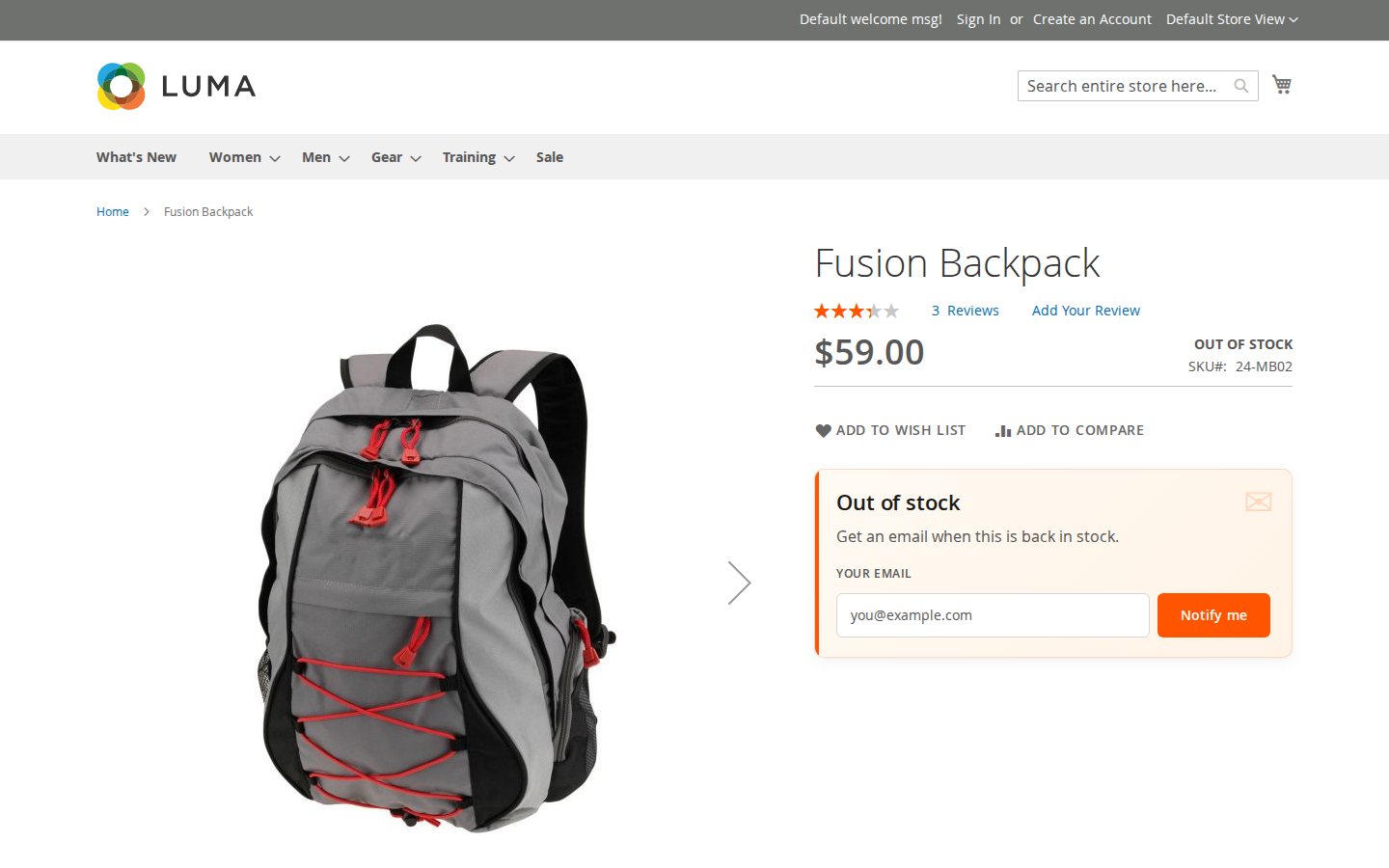
Turn "out of stock" and "too expensive today" into a sale later: shoppers leave their email on the product page and are written to the moment the product is back or cheaper, and you see the orders those emails bring back.
Latest version: 1.2.2 — changelog
Who it's for
- Stores with variants and kits: shoppers subscribe to the exact size and color, grouped item or bundle selection they want, and the alert waits for that variant, not the whole product.
- Stores on Hyvä or Luma, including Hyvä's CSP theme under a strict content security policy (with Varnish as the full-page cache), with Magento's swatches on either.
- Multi-website and Multi-Source Inventory stores: a restock or price change in one website alerts only that website's shoppers.
- Headless storefronts that subscribe and cancel through GraphQL.
Why it matters
- Recover lost sales: a shopper who would have left from a sold-out page leaves an email, and comes back when the product does.
- Bring demand into restocking: see which sold-out products have the most people waiting, and buy accordingly.
- Measure it in revenue: clicks from alerts and the orders that follow are credited per order line, so the report shows what the emails earned.
- No support tickets to unsubscribe: guests manage their alerts from a link in the email, customers from their account.
- Consent you can show: guests confirm their address before they receive anything, and every email has a one-click unsubscribe.
See it in action
You put a sold-out product back in stock → the waiting shoppers get an email. A source quantity saved in the admin, by import or over the API is recorded; after a short stability window each subscriber gets one back-in-stock email with a link to buy.
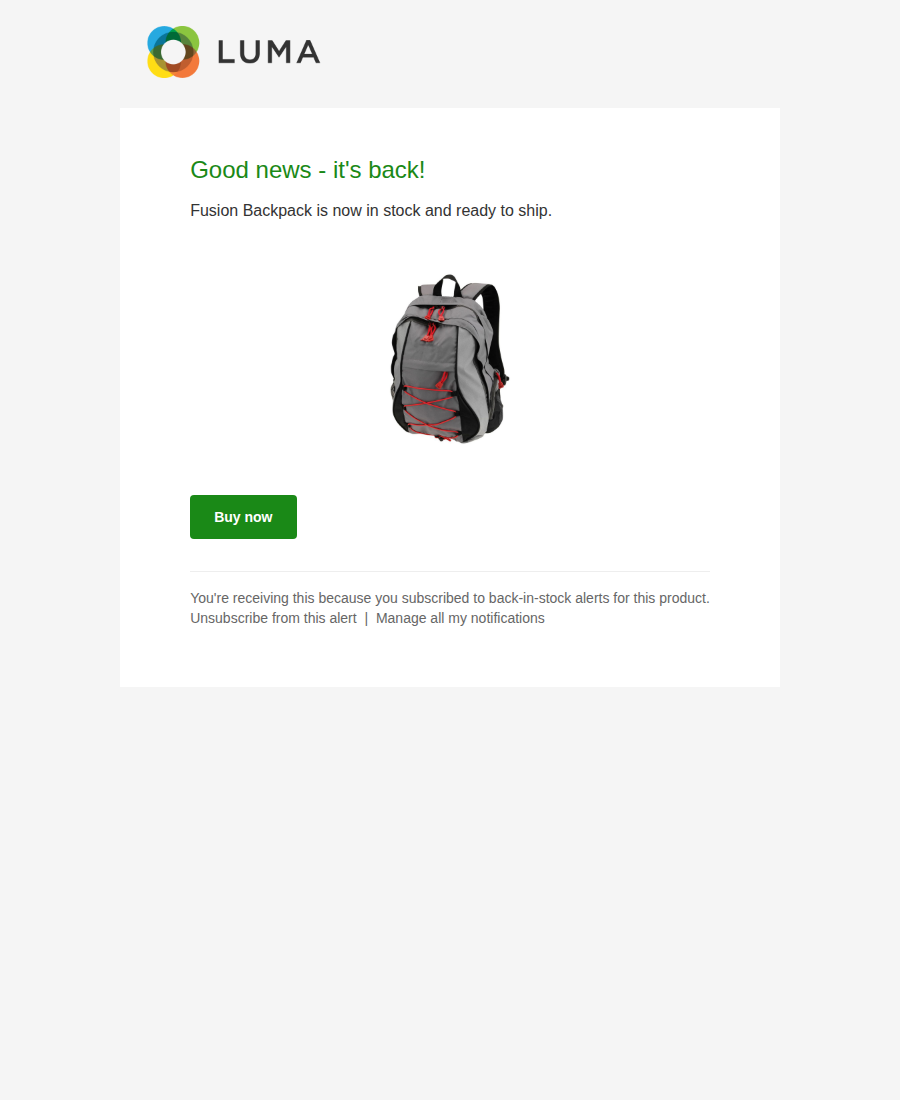
You set quiet hours to 22:00-08:00 → nobody is woken at night. Alerts that fall due overnight wait until 08:00 in the store's timezone.
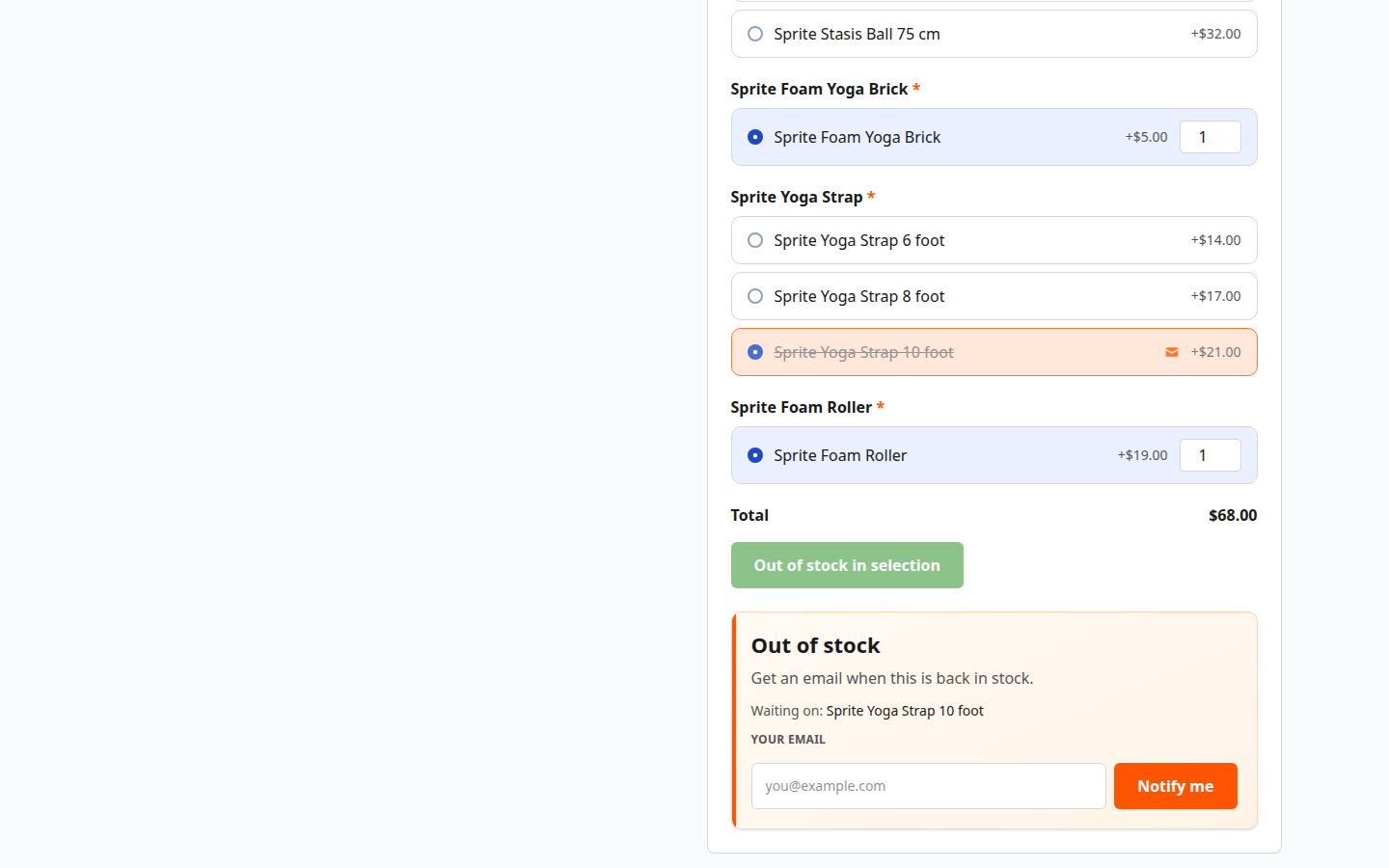
A shopper picks an out-of-stock bundle selection → they wait for exactly that. The notify box names the missing selection, and before the email goes out every selection of their configuration is checked again.
What you can do
| Feature | Benefit |
|---|---|
| Subscribe on the product page | Back-in-stock and price-drop forms on every product type, Luma and Hyvä, inline or in a modal, with optional CAPTCHA and a cart-wide price-drop block on Hyvä |
| Swatch products | Sold-out swatch combinations stay clickable and lead to the form, instead of a greyed-out dead end |
| Confirmation and self-service | Double opt-in for guests, a manage link in every email, My Account → Product Notifications, one-click unsubscribe |
| Alert emails | Sent automatically after a restock, a price cut (product saves and catalog price rules) or low stock, with cooldowns, quiet hours and no duplicates |
| Subscriptions | One grid of every subscription with export, cancel and resend, and each product's waiting subscribers in the catalog |
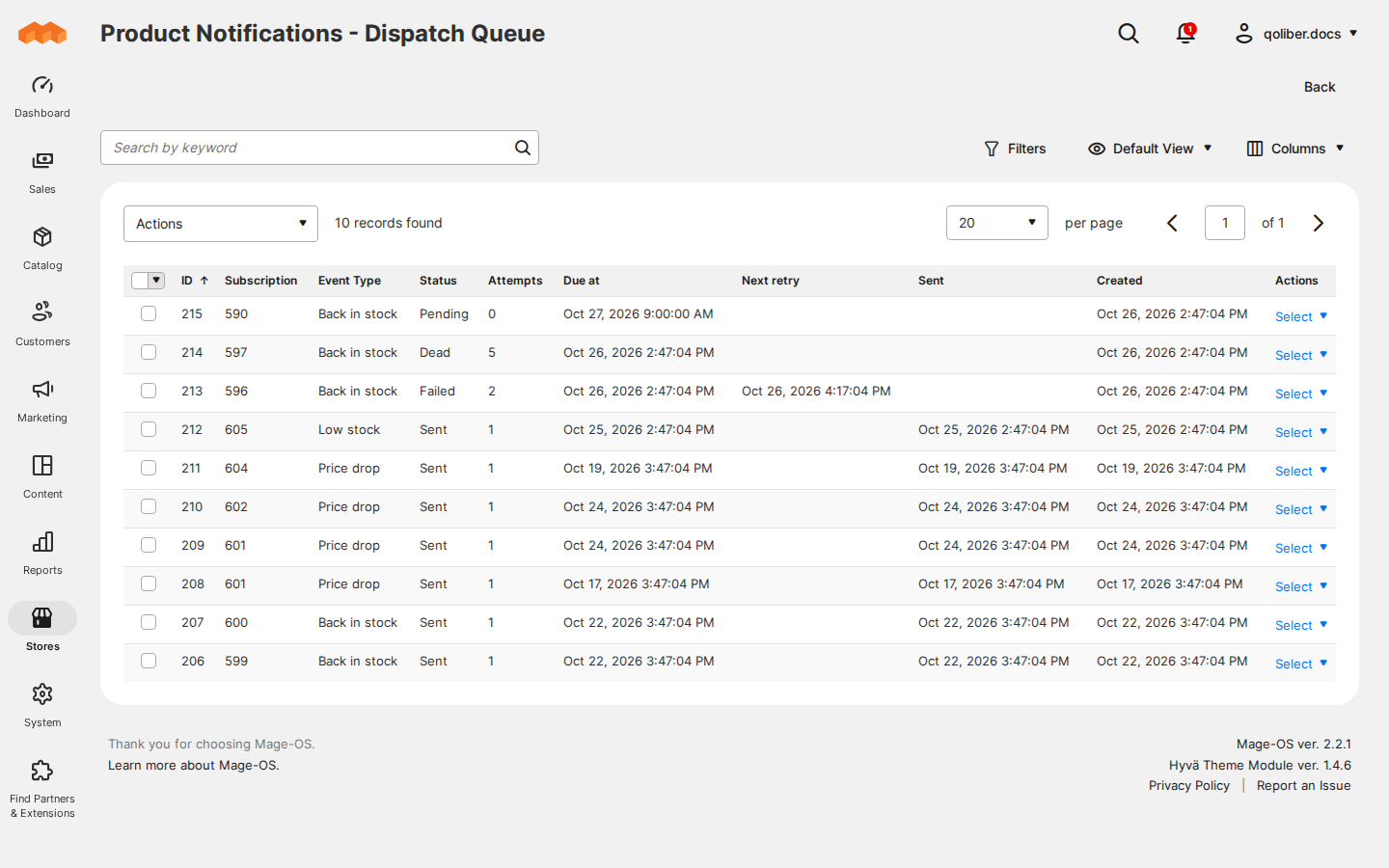
| Dispatch queue | Every alert email from pending to sent, with automatic retries and one-click re-sending of failures |
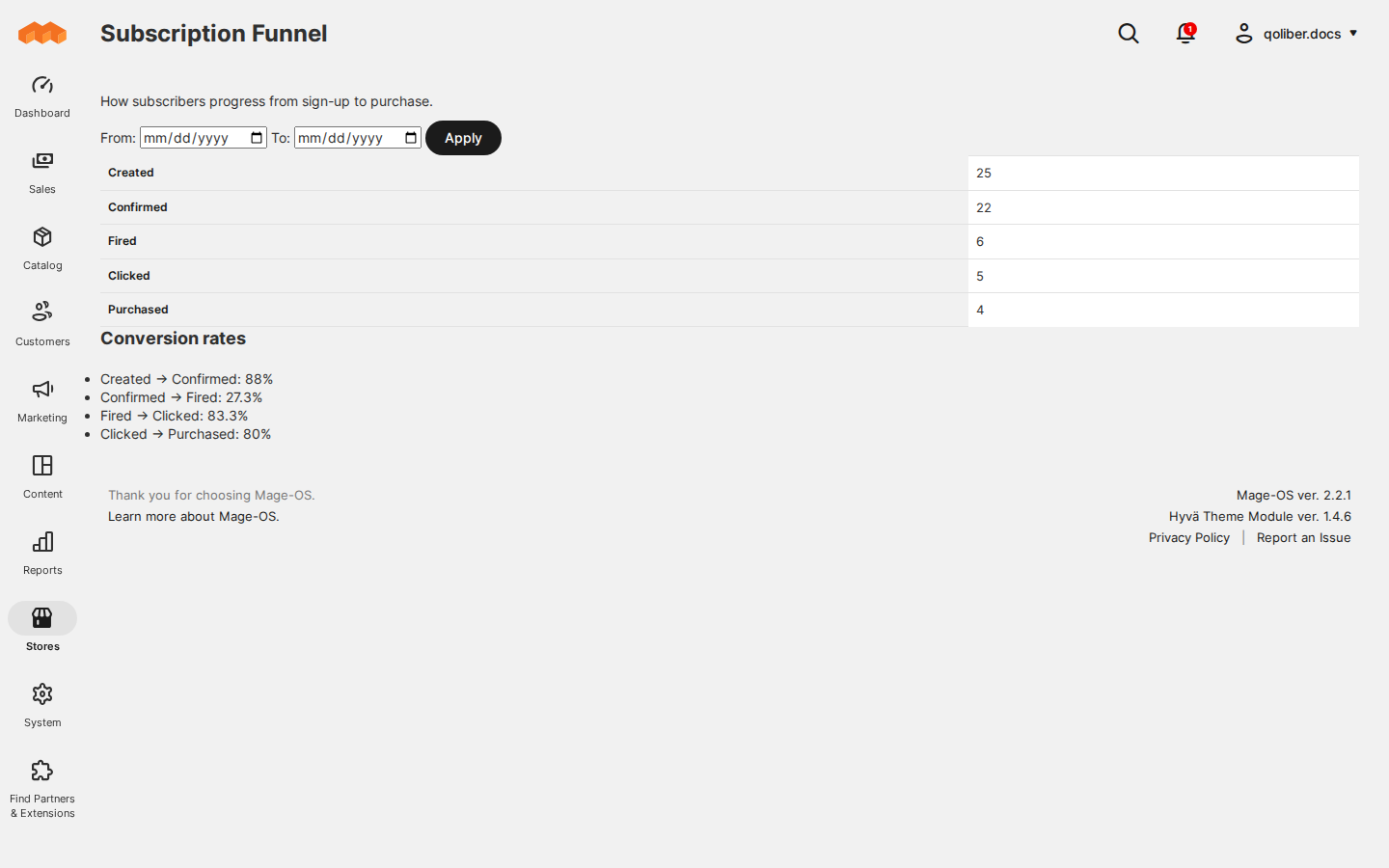
| Reports | Funnel from sign-up to purchase, products ranked by alerts and revenue, and by demand |
| GraphQL API | Subscribe, confirm, list and cancel from a headless storefront with the same rules |
The funnel shows where subscribers drop off, from sign-up to purchase:
Failed emails are visible and re-sendable, never lost:
Competing solutions
The right-hand column describes common market practice, not any particular vendor.
| Qoliber | Typical marketplace extension | |
|---|---|---|
| GitLab access | Full access to the module's GitLab repository — source, history, issues and merge requests | Varies by vendor |
| Packagist installation | Installed and updated with Composer from our private Packagist (qoliber.repo.packagist.com) | Varies by vendor |
| Slack access to the development team | A shared Slack channel with the developers who build and maintain the module | Usually ticket-based |
| Unit tests | 352 PHPUnit unit tests (50 classes) in the repository | Not typically published |
| Integration tests | 119 Magento integration tests (38 classes), run before every release | Not typically published |
| E2E Playwright tests | 36 Playwright end-to-end tests (19 spec files) on Luma and Hyvä, run before every release | Not typically published |
| Documentation | Full docs portal: install, configuration, usage, troubleshooting, developer guide and API reference | Varies by vendor |
| Hyvä support | Hyvä templates in their own package, tested on Hyvä's CSP theme under a strict content security policy | Varies by vendor |
| PHP / Magento range | PHP 8.1 to 8.5; magento/framework ^103.0 | Varies by vendor |
Built the way your store is
- Hyvä-native: a dedicated Hyvä package with Alpine components written for Hyvä's CSP build, not a Luma port.
- API-first: REST endpoints and a GraphQL module for headless storefronts.
- No SaaS: subscriptions, emails and reports run inside your store, through your own cron, queue and mail server; nothing is sent to a third-party service.
Good to know
- Display Out of Stock Products must be on. With it off, Magento hides the products and variants shoppers would subscribe to.
- Cron and the queue consumers must run. Emails go out through Magento cron and two message-queue consumers; without them nothing is sent.
- Alerts are not instant on purpose: a stock or price change is held for a stability window (15 minutes by default) so flapping stock sends one email.
- The product-page forms offer back-in-stock and price-drop alerts; low-stock alerts are subscribed through GraphQL.
Supported: PHP 8.1 – 8.5 · Magento Open Source and Mage-OS 2.4.x (magento/framework 103) · Luma and Hyvä 1.3+ · default inventory and MSI.
Get started: Installation · Configuration · Agencies and resellers: see the partnership program